
- First Name
- Justin
- Joined
- Dec 16, 2021
- Threads
- 3
- Messages
- 256
- Reaction score
- 647
- Location
- Atlanta
- Website
- www.instagram.com
- Vehicle(s)
- Bronco Ordered
- Your Bronco Model
- Badlands
- Thread starter
- #1
After winning the @WolfBox mystery box for May in the sponsor section of the forum, figure I’d post my thoughts if anyone else was considering a dash/action cam.
I’ve been wanting to get a dash camera for a while, especially dealing with Atlanta Traffic, but finding the right one was a bit overwhelming. My first thoughts after unboxing left me really impressed with the quality of the camera.
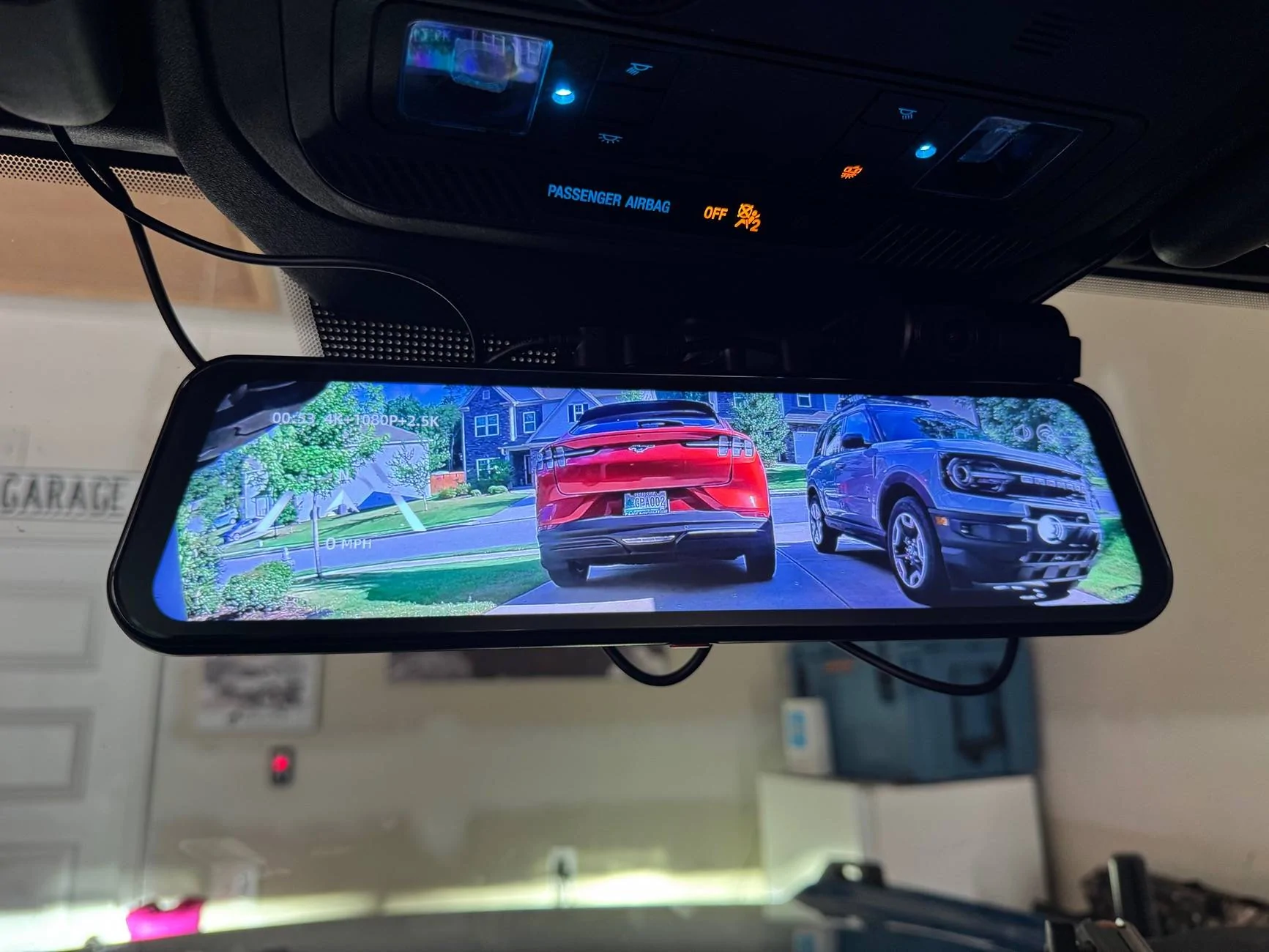
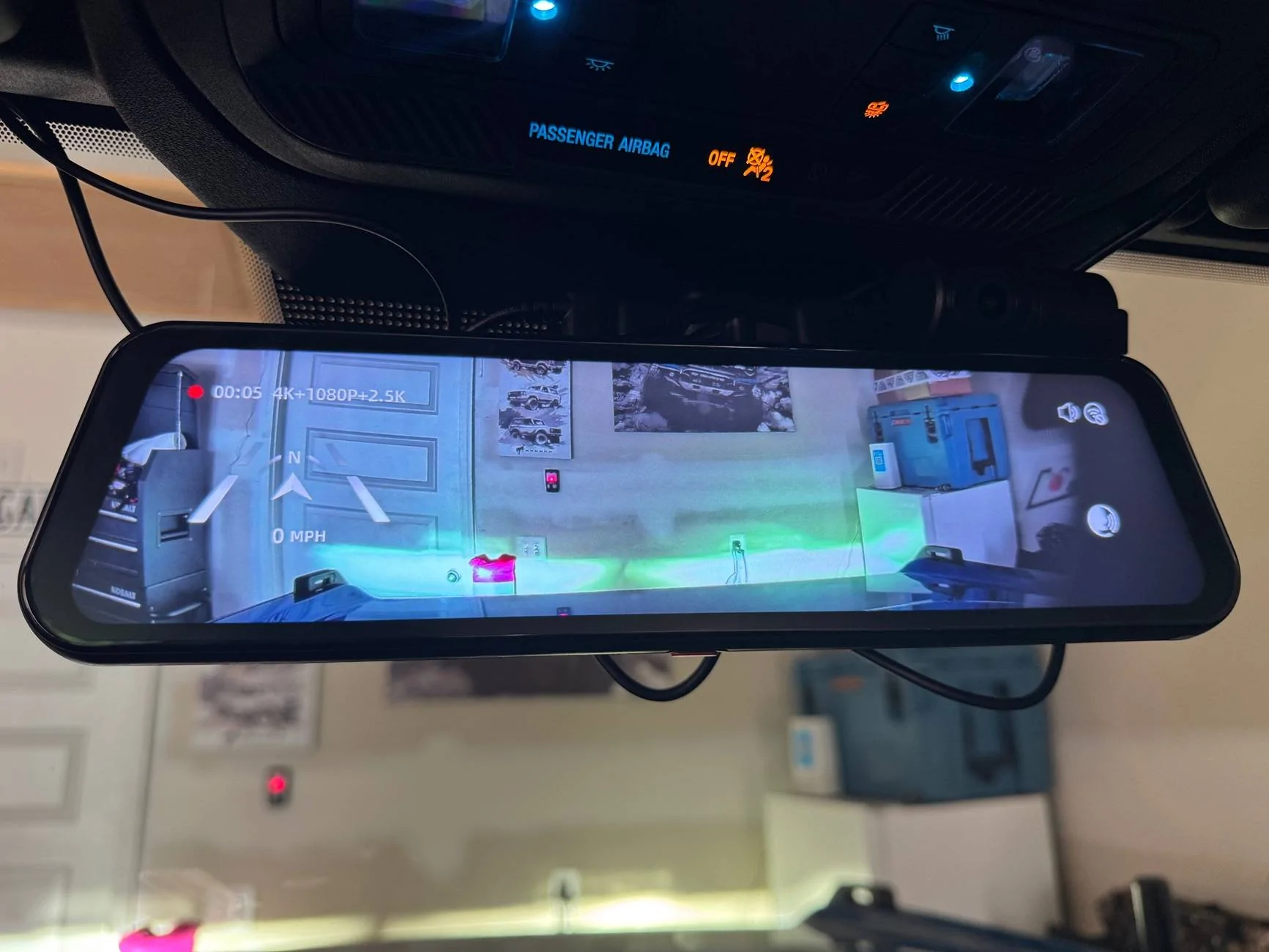
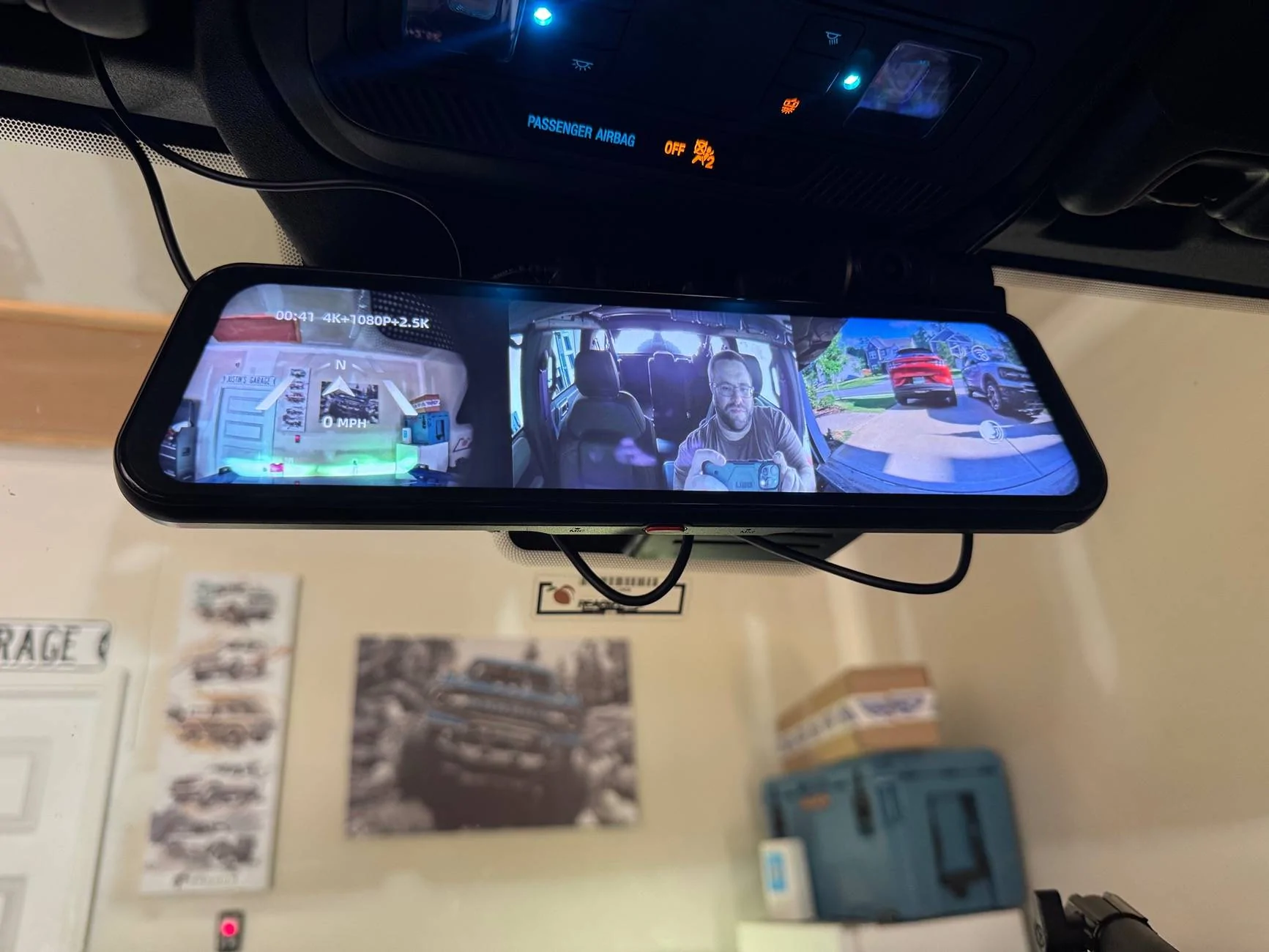
There are multiple ways to mount it either over or replacing the rear view mirror and now with the Tri version of the G900 the rear and cabin camera can both be used at the same time. There is even a GPS unit to support speed and direction details when driving or recording.
Decided to order a few extra accessories before installing from Wolfbox’s website. I went with the OEM mount, hardwire kit, and rear camera license plate mount.
Overall the install was very easy and pretty much plug and play which was a big plus! First removing the OEM rear view mirror, which was only secured by a torx screw, and mounted the WolfBox to the windshield. There are a few threads I referenced to make sure I did it right, so instead of detailing those steps again, check out the two linked threads below from @Bird Dog Off Road and @TheLawnDart .
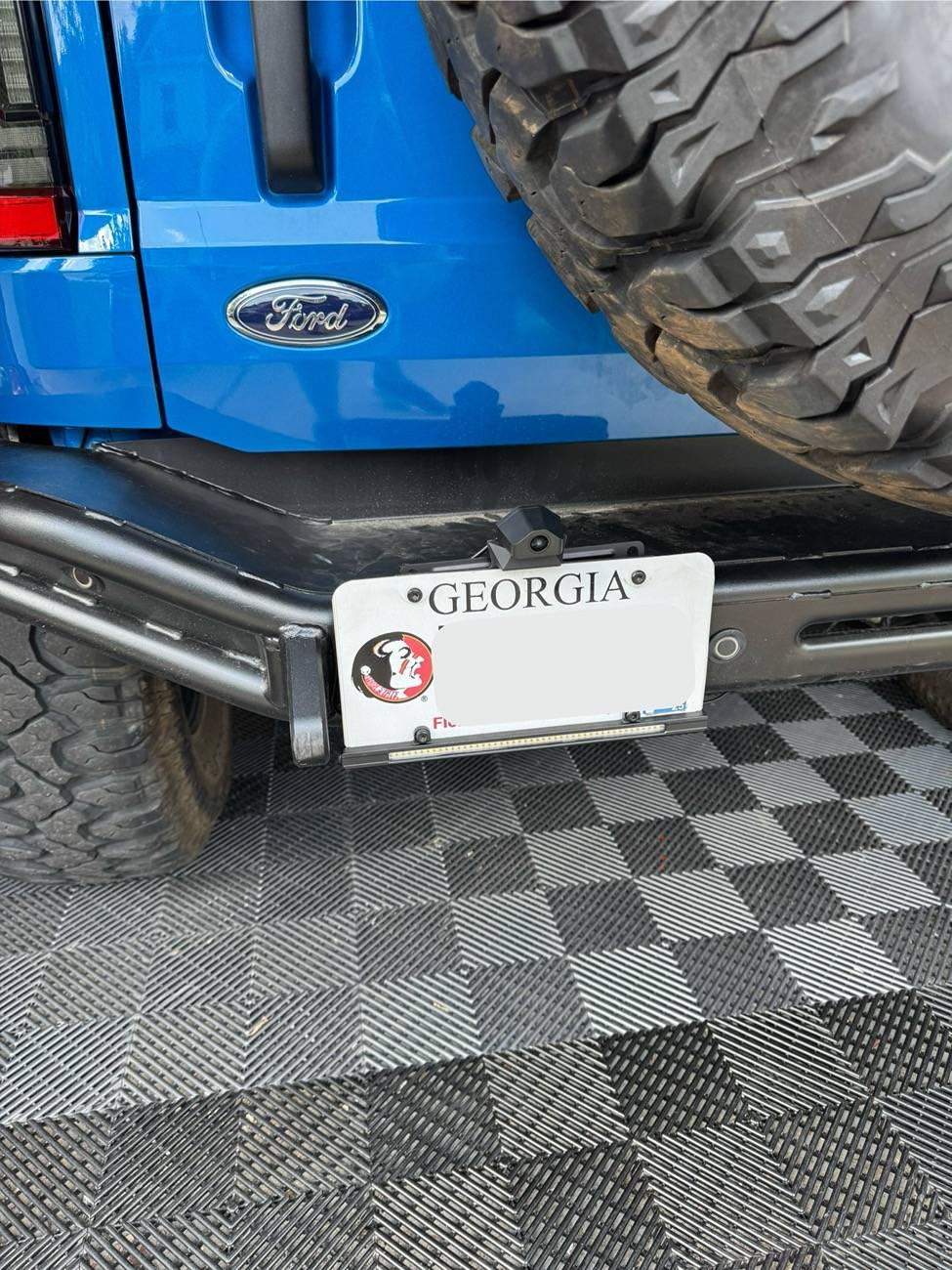
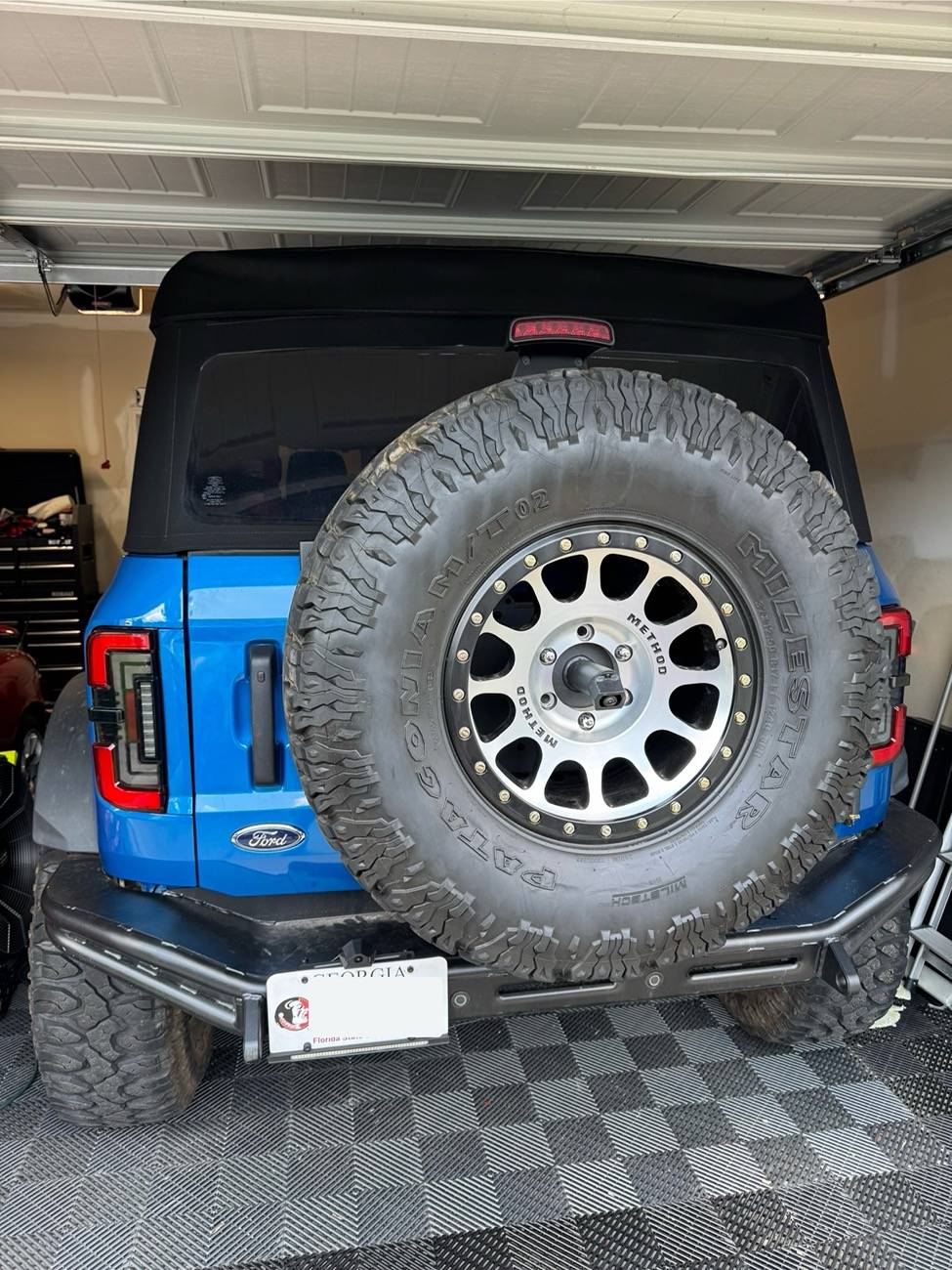
For the rear camera, I struggled finding where I wanted to install. Since I’m running a 37inch spare tire with the Turn off-road reinforcement kit, I wanted to make sure the view wasn’t obstructed. Putting it on top of the brake light was one option and license plate mount the second. I left the wires relatively loose so I can re-asses after a few trips if the license plate mount was the right call. The good news is you can tilt the camera up and down from the mirror so it makes up for the height difference.
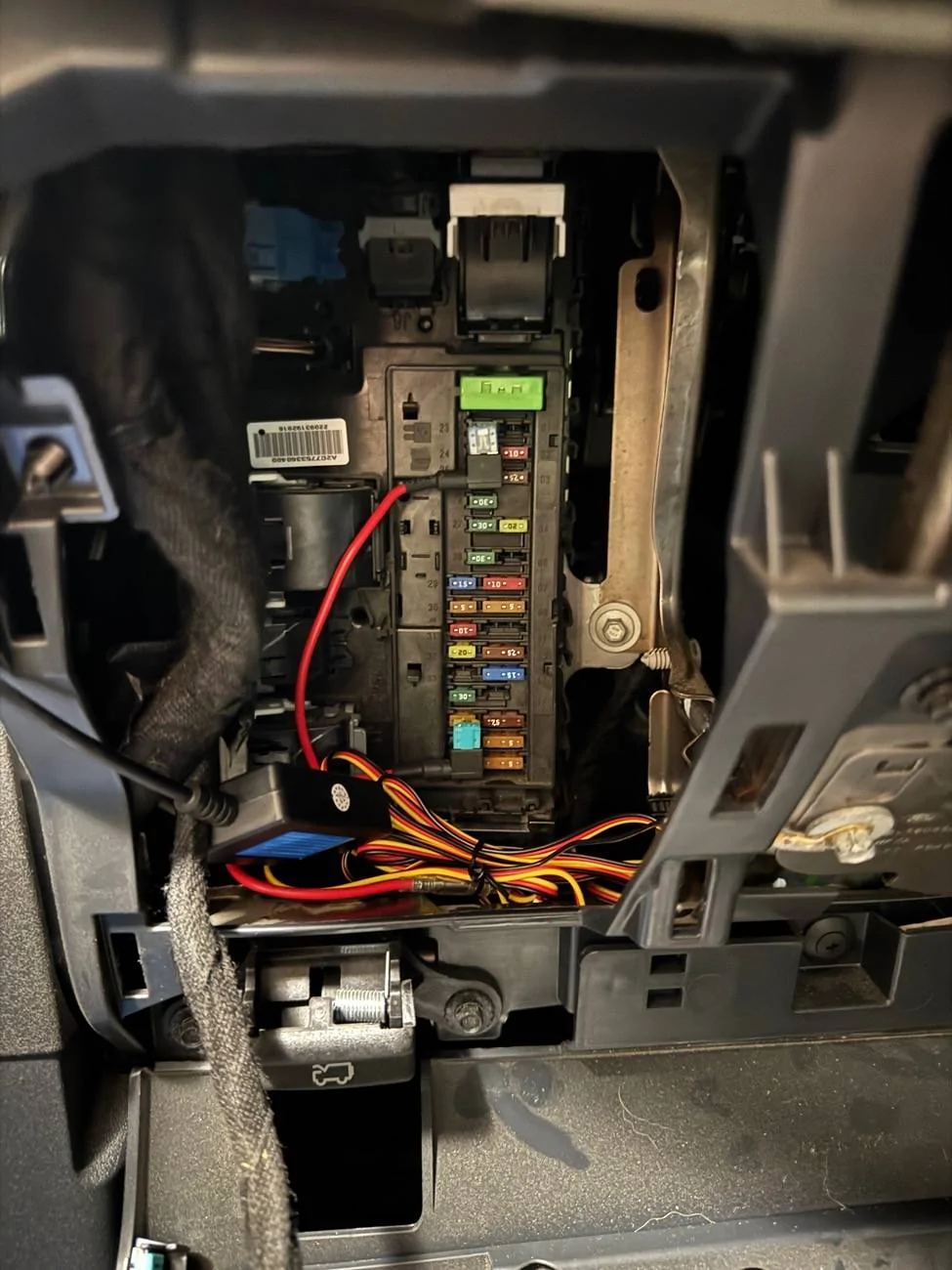
I strongly recommend the hardwire kit, the fuse taps made it super simple and no wire splicing needed. I followed TheLawnDart’s thread below to determine which fuses needed to be used and they were spot on. I also put the GPS unit in the center of the dash next to the sensor by the windshield. Cleaning up the wiring is the final item I’ll need to do when my garage cools down a bit.
Overall I’m very impressed with the WolfBox setup, so much so I’ll be buying a second for my other vehicle. Being able to swipe between cameras, record on road and trail rides, and having the always on parking recording checked all the boxes. The big benefit for me though was having an unobstructed rear mirror option now. Between putting the soft top down, big spare tire, and third brake light, my rear view was getting more limited, now that’s no longer an issue since the rear camera has direct views behind me. Hope this helps anyone considering a dash/action cam combo for their Bronco!
Two threads referenced above:


I’ve been wanting to get a dash camera for a while, especially dealing with Atlanta Traffic, but finding the right one was a bit overwhelming. My first thoughts after unboxing left me really impressed with the quality of the camera.
There are multiple ways to mount it either over or replacing the rear view mirror and now with the Tri version of the G900 the rear and cabin camera can both be used at the same time. There is even a GPS unit to support speed and direction details when driving or recording.
Decided to order a few extra accessories before installing from Wolfbox’s website. I went with the OEM mount, hardwire kit, and rear camera license plate mount.
Overall the install was very easy and pretty much plug and play which was a big plus! First removing the OEM rear view mirror, which was only secured by a torx screw, and mounted the WolfBox to the windshield. There are a few threads I referenced to make sure I did it right, so instead of detailing those steps again, check out the two linked threads below from @Bird Dog Off Road and @TheLawnDart .
For the rear camera, I struggled finding where I wanted to install. Since I’m running a 37inch spare tire with the Turn off-road reinforcement kit, I wanted to make sure the view wasn’t obstructed. Putting it on top of the brake light was one option and license plate mount the second. I left the wires relatively loose so I can re-asses after a few trips if the license plate mount was the right call. The good news is you can tilt the camera up and down from the mirror so it makes up for the height difference.
I strongly recommend the hardwire kit, the fuse taps made it super simple and no wire splicing needed. I followed TheLawnDart’s thread below to determine which fuses needed to be used and they were spot on. I also put the GPS unit in the center of the dash next to the sensor by the windshield. Cleaning up the wiring is the final item I’ll need to do when my garage cools down a bit.
Overall I’m very impressed with the WolfBox setup, so much so I’ll be buying a second for my other vehicle. Being able to swipe between cameras, record on road and trail rides, and having the always on parking recording checked all the boxes. The big benefit for me though was having an unobstructed rear mirror option now. Between putting the soft top down, big spare tire, and third brake light, my rear view was getting more limited, now that’s no longer an issue since the rear camera has direct views behind me. Hope this helps anyone considering a dash/action cam combo for their Bronco!
Two threads referenced above:
- TheLawnDart Thread: https://www.bronco6g.com/forum/threads/wolfbox-g900pro-install-diy-how-to-writeup.106587/
- Bird Dog Offroad’s Thread: https://www.bronco6g.com/forum/thre...with-off-road-video-install-and-review.97515/
Sponsored
Last edited: