
- Thread starter
- #1
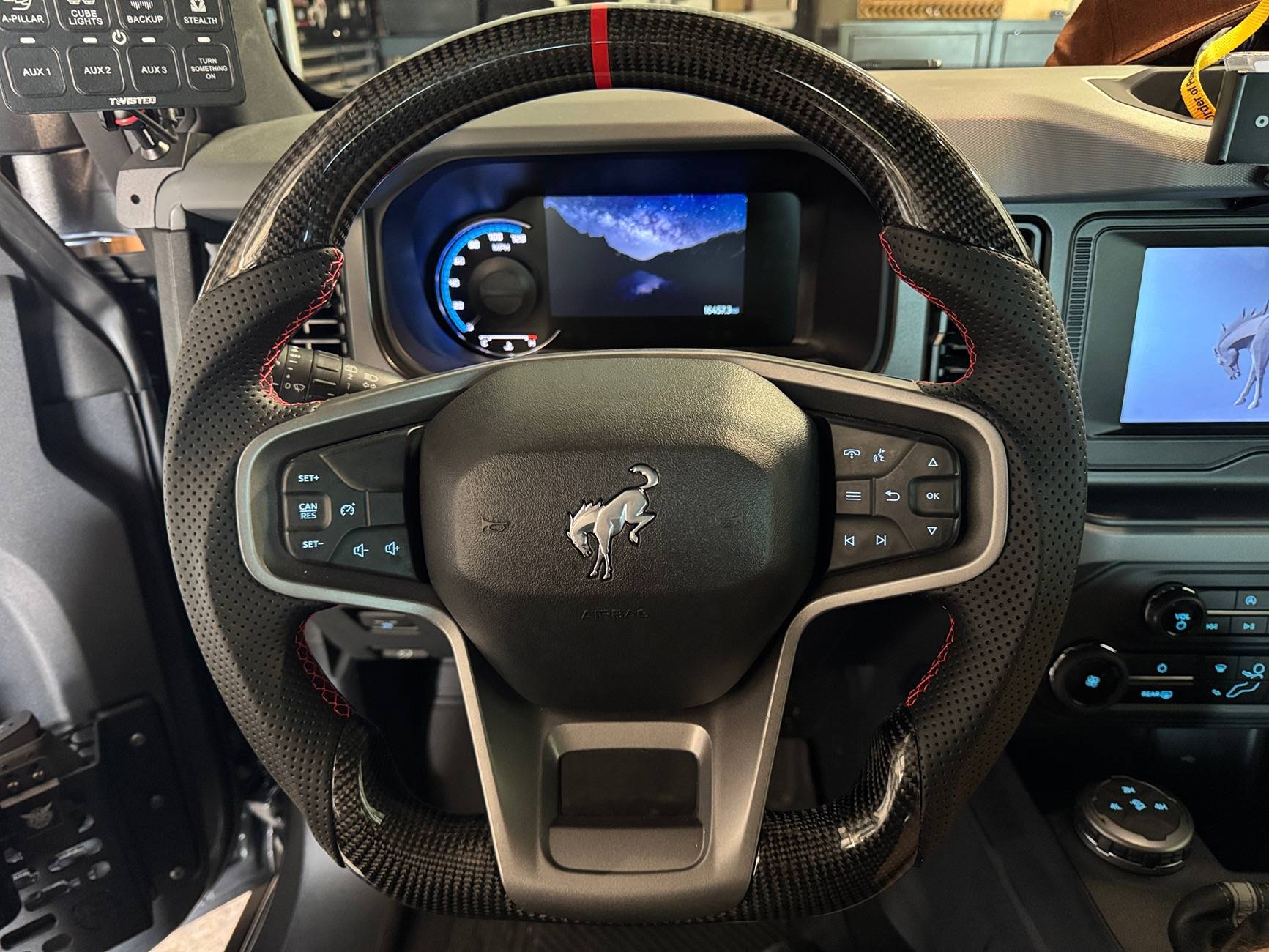
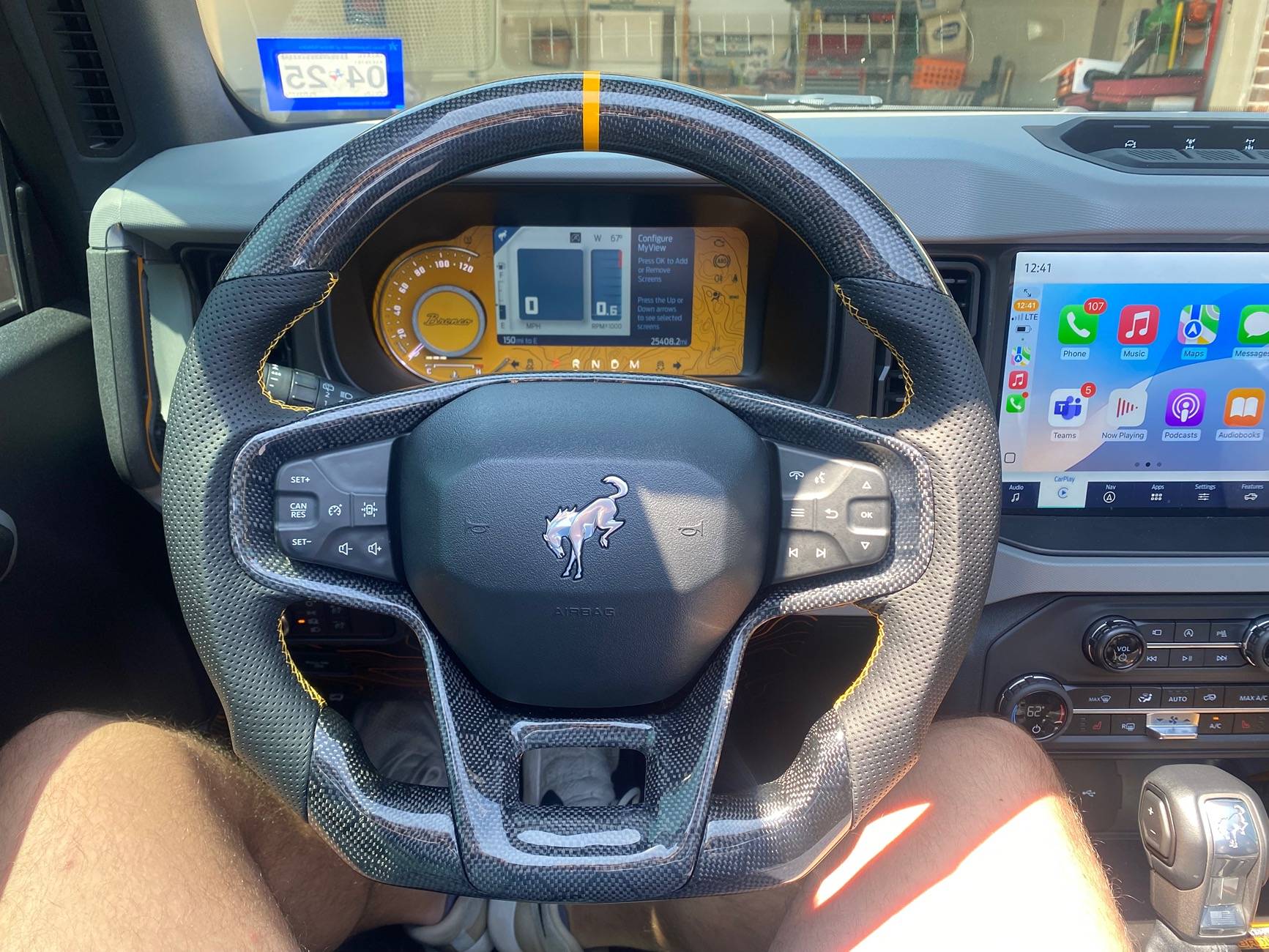
So after seeing some others do this, I decided to go and replace my Leather Lux wheel with a Carbon Fiber Flat bottom Leather wrap one. I decided to do a small write-up because I have seen questions asked, but have no answeres on certain aspects of doing this. Soooo......
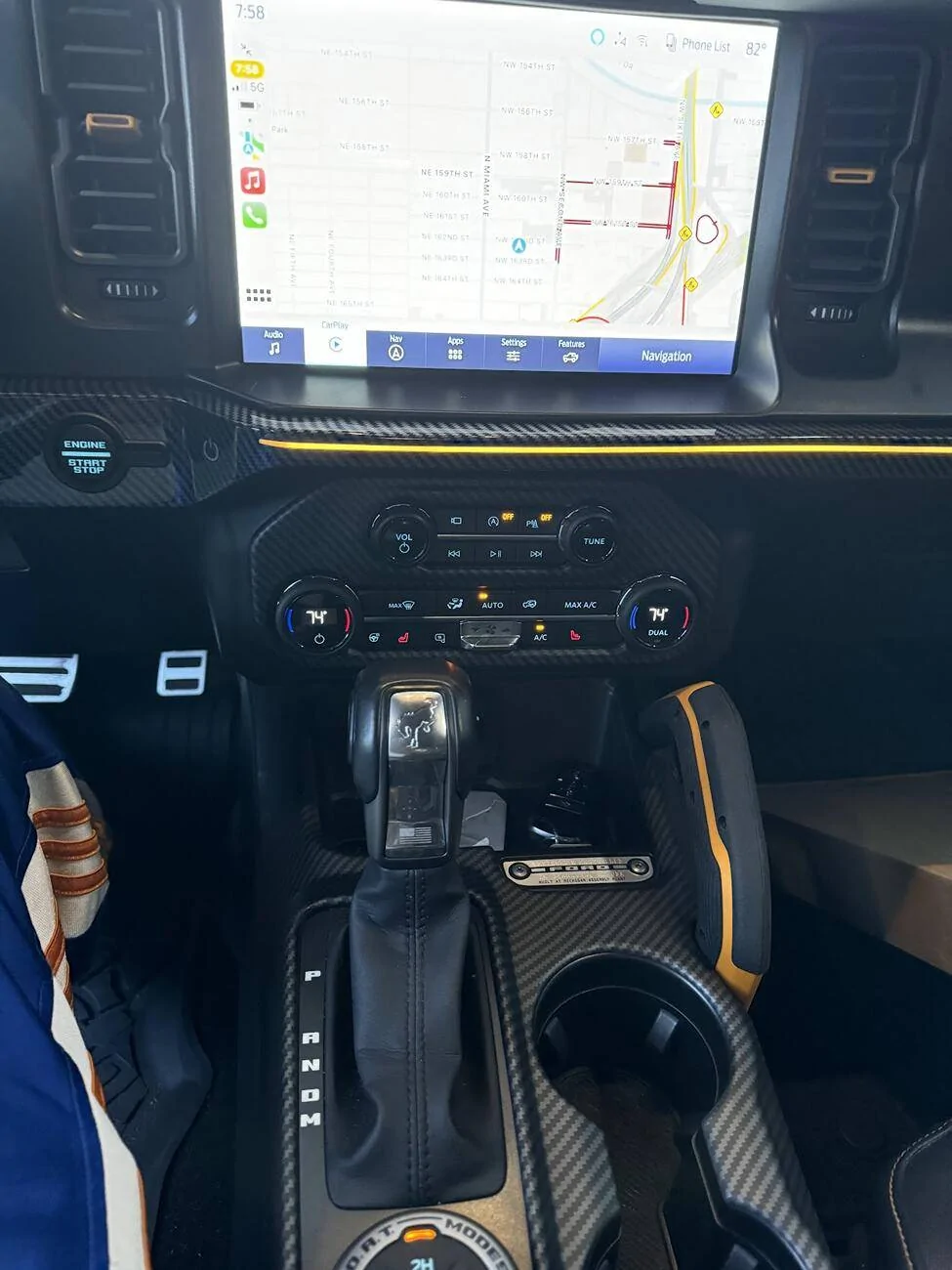
1. I have the Lux steering wheel with heat. The wheel I purchased is non-heated. Why? Well, the heated wheel costs more, and I live in Florida. MIAMI, Florida, to be precise. I have NEVER used the heated function, so yeah.
2. I decided to spruce up things, because well, BECAUSE! I received a great deal on the wheel, I had credits, so I pulled the trigger.
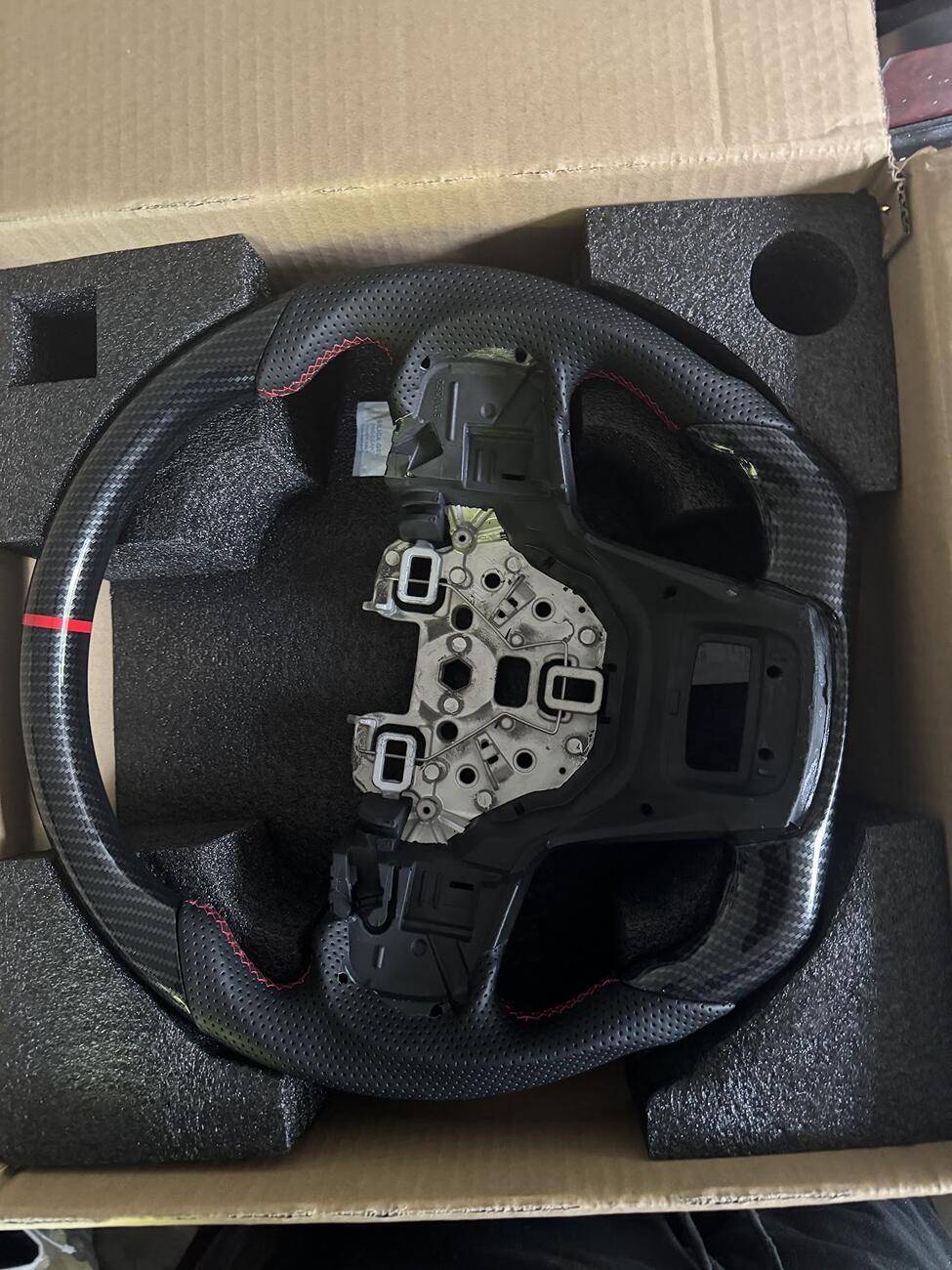
The wheel came well packaged and even included a very nice cleaning cloth. (BONUS!) No instructions, but those are readily available on YouTube in one form or another.

Thickness
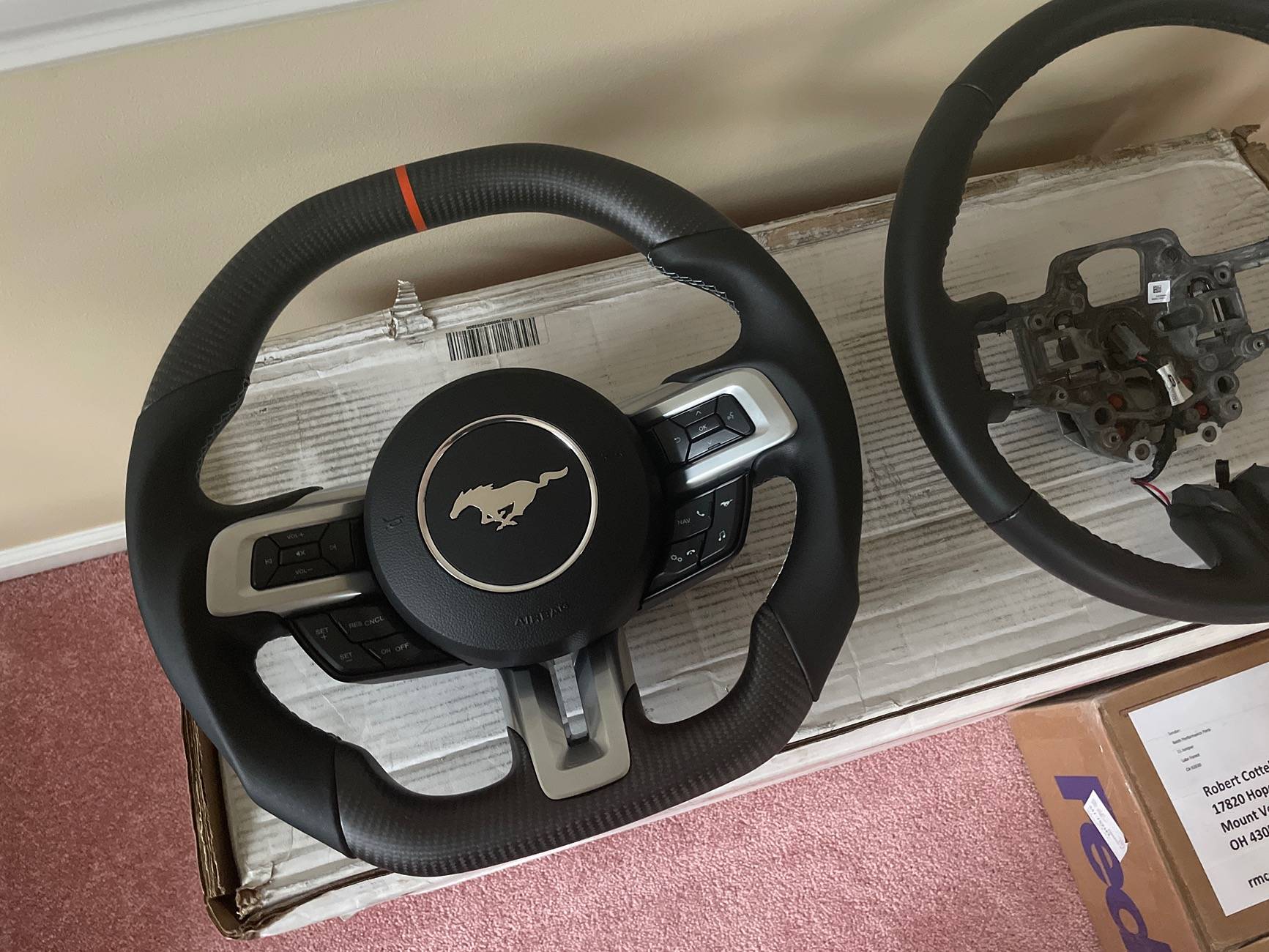
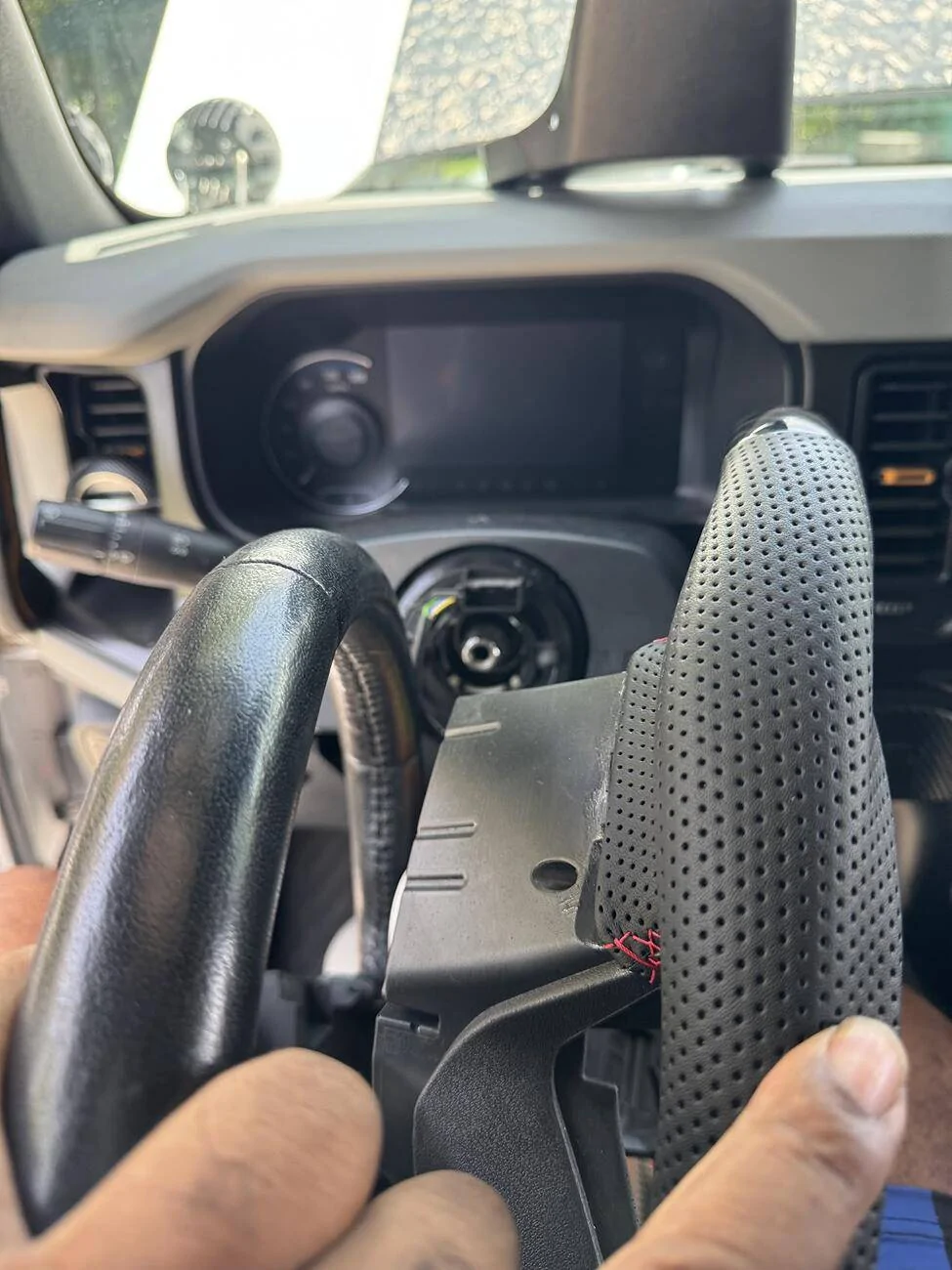
The Tsefeel wheel is nice. The thickness is nearly the same as the OEM version, maybe slightly thicker at the top. The bolster at the leather is of course, thicker. The top of the wheel as finger pockets, so the grip is nice.
SIZE
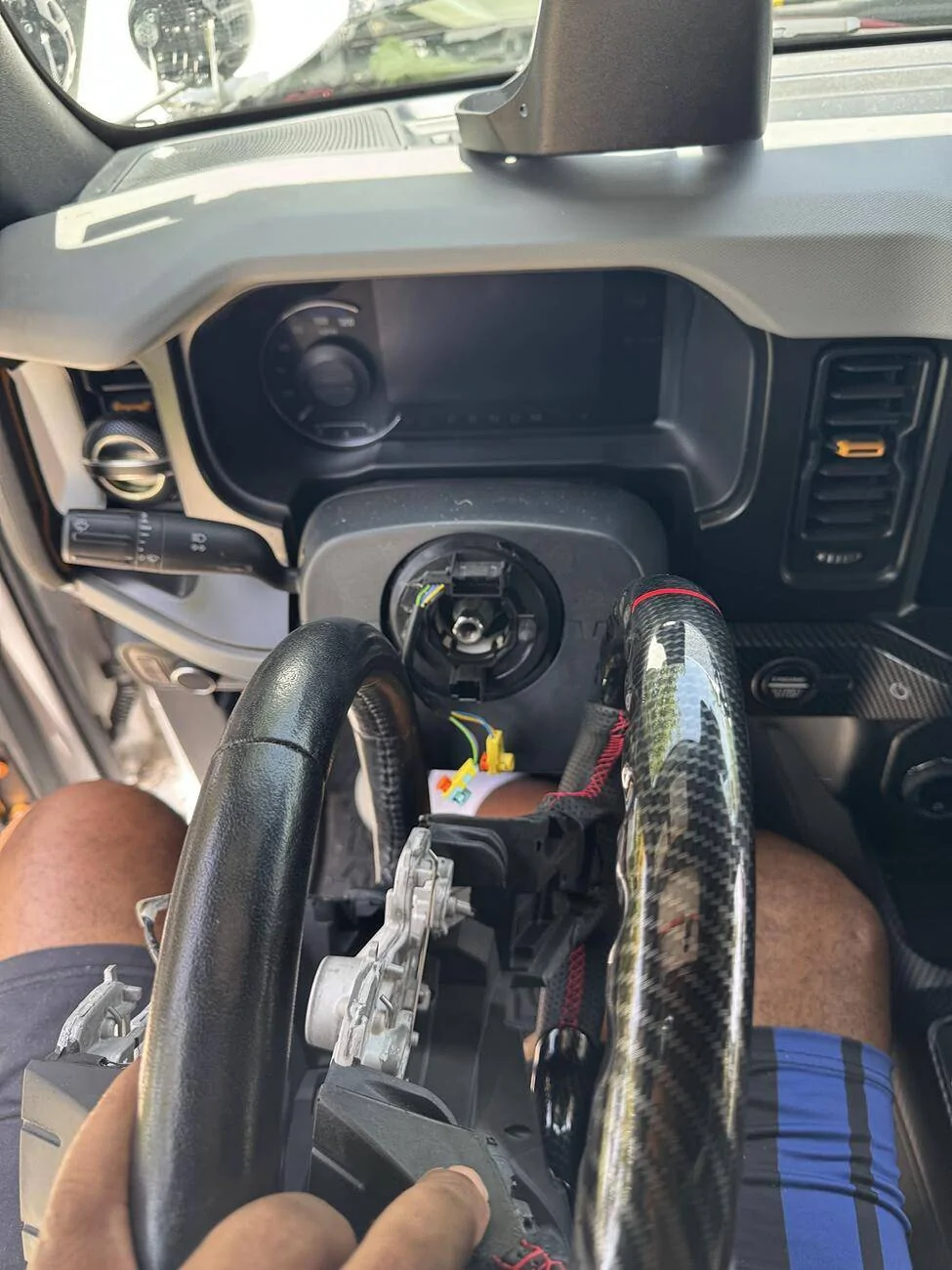
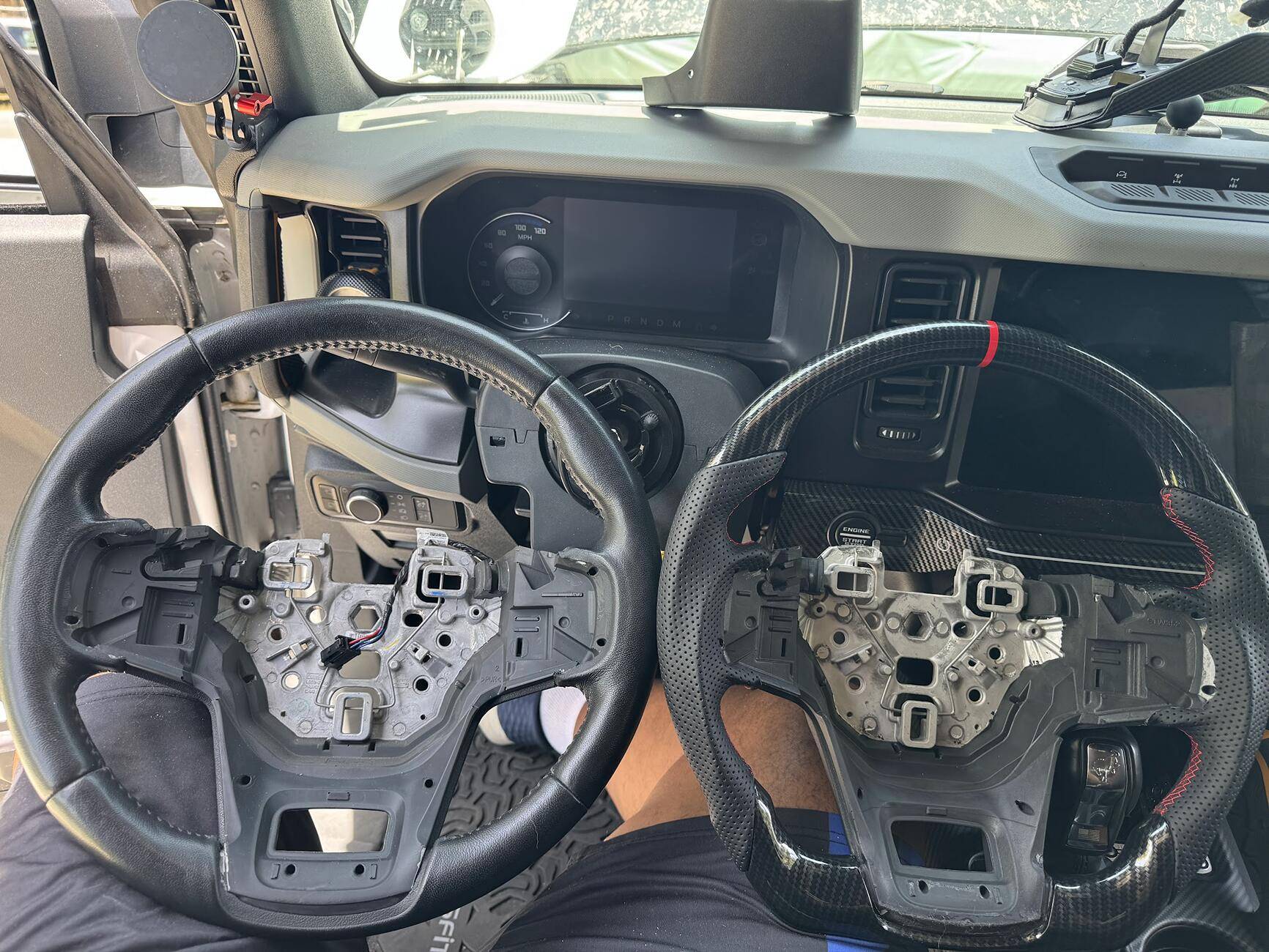
The size in comparable, the same as OEM, but of course, the flat bottom. Again, thicker in the areas with leather.

INSTALL
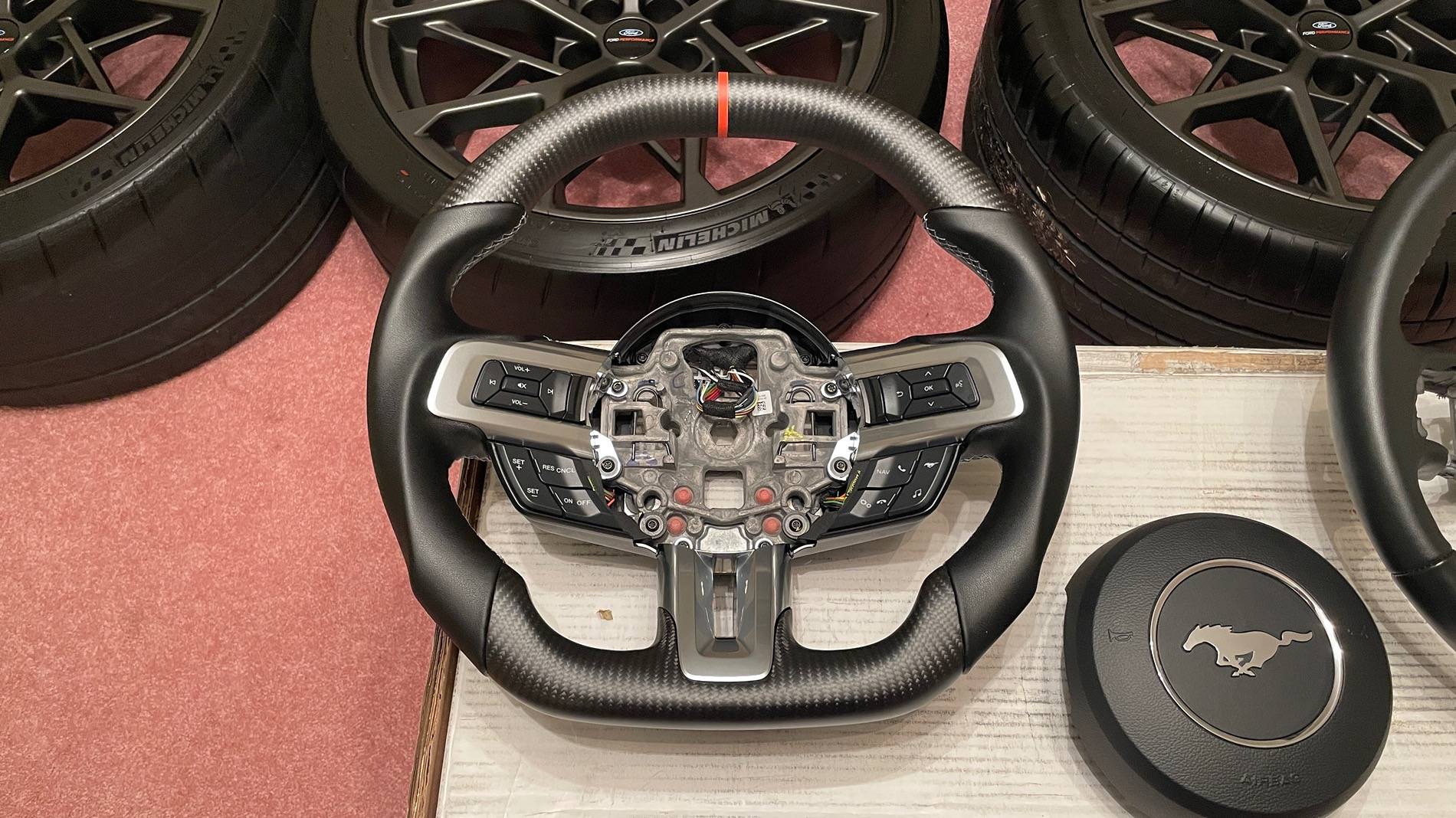
So the install is not so bad.......Its a pain though. First, UNPLUG YOUR NEGATIVE BATTERY CABLE. Don't want no airbags going boom by accident. The 1st issue is getting those clips to unlock the air bag. I ended up using my TORX Allen bits, but even with those, it was a fishing expedition. Using the new wheel, I was able to see exactly how it went in, but even then it was a pita to get the clamp to unclamp. Even when you did get it, you had to figure out how to get the airbag off. Pro tip: Come from the bottom and pull up. Then pull from the top straight off. Once you have it off, there is a white clip plug, and an orange and bluish flat plug. Pull up the brown clips and detach.
Once that is done, just unclip the clips, unscrew the center piece with your buttons, and pull up and off. Just feed your wires through the openings. If you have a heated wheel, just unclip it. Once done You can now remove the wheel. It is a T50, be mindful not to strip. My large impact gun had decided it had had enough. So be it. I ended up using my Milwaukee electric wrench along with some elbow grease. Off it came. When I put it back, I did a tq of 10lbs
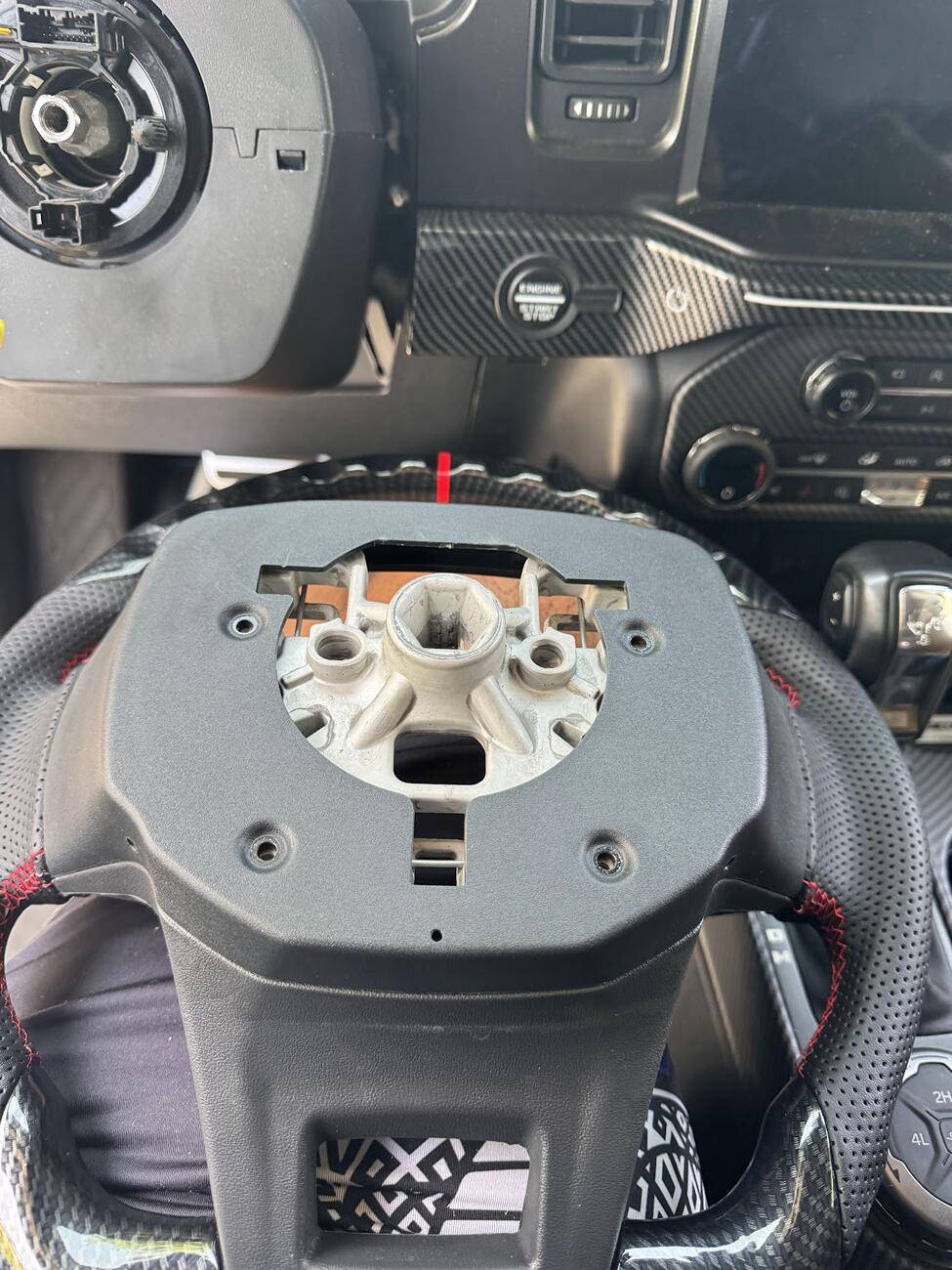
Once that was all done, you place your new wheel in place. Do not worry about putting it on wrong, I mean you can, but it will be obvious it is on wrong, or rather in the wrong position. Feed your wires through and you're good. Also, do not forget to remove the backing from the old wheel and transfer it to the new. four torq bits for it. Once that is done, check everything and put the wheel on. Hand start your big bolt, get it in, tq it down. Once you have it in place, put your center and buttons back in place, follow the wire channels, plug it back in, then push it into place. Then screw the two torx bits back in.
Almost Done!
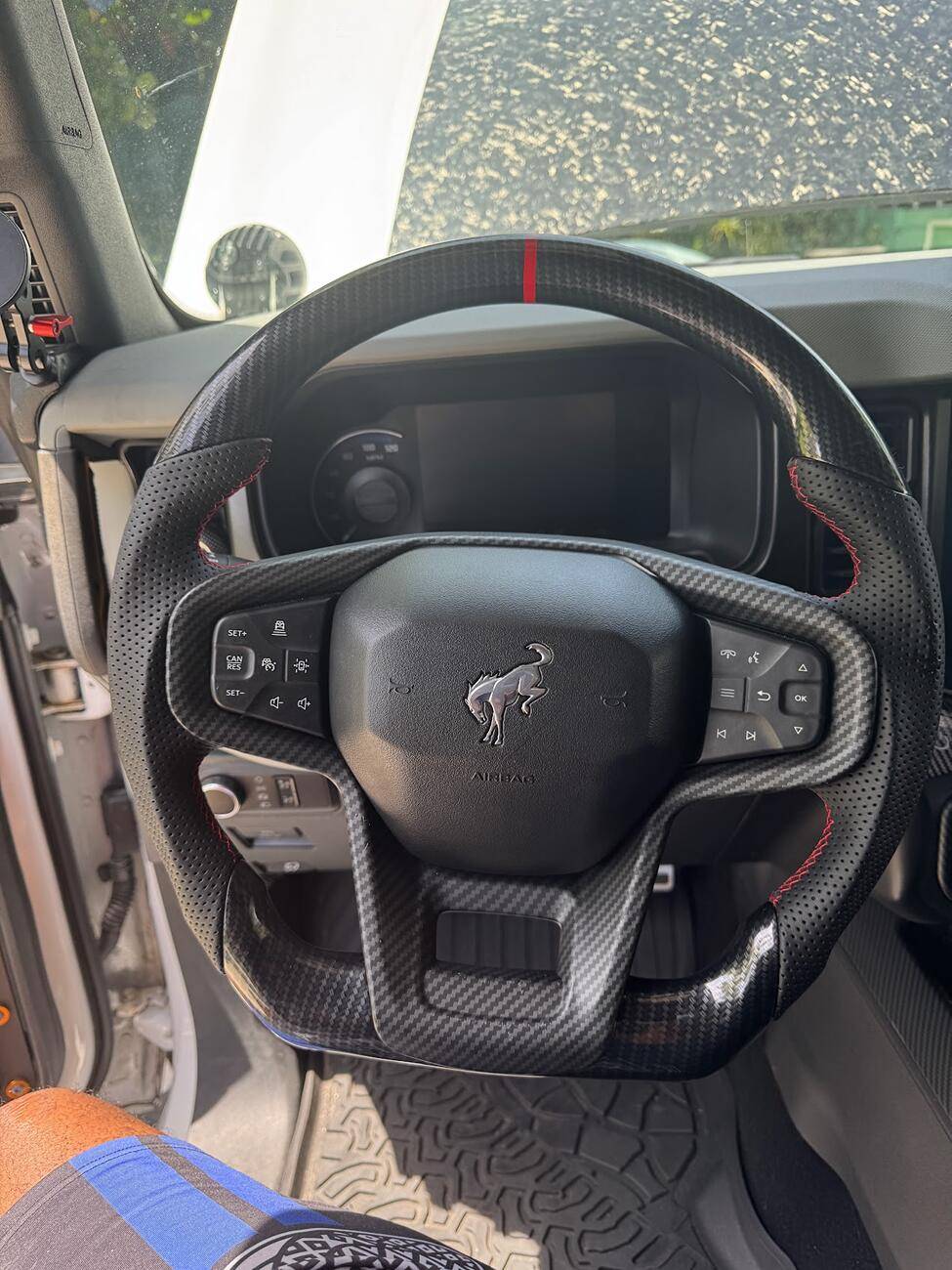
Now all that is left is to plug the airbag back in. This is the easy part, heh. Take the whit plug, connect it, then plug the two airbag flat connectors into their colours and push the clip back down. Now put the AirBag back on, clip in from the top, and push down. It will snap in. Your done!
Now this: If you have a heated wheel and get a non-heated wheel, you're good. Just leave the plug open. The heated plug goes with the steering wheel. You will get no errors from the vehicle, maybe an error on the Ford machine, but none that will pop up on the dash. Um..That's it. Enjoy your new wheel!
About to grab some food, so I'll see how it feels. But from my speed racer motions in the driveway, it felt great.
1. I have the Lux steering wheel with heat. The wheel I purchased is non-heated. Why? Well, the heated wheel costs more, and I live in Florida. MIAMI, Florida, to be precise. I have NEVER used the heated function, so yeah.
2. I decided to spruce up things, because well, BECAUSE! I received a great deal on the wheel, I had credits, so I pulled the trigger.
The wheel came well packaged and even included a very nice cleaning cloth. (BONUS!) No instructions, but those are readily available on YouTube in one form or another.
Thickness
The Tsefeel wheel is nice. The thickness is nearly the same as the OEM version, maybe slightly thicker at the top. The bolster at the leather is of course, thicker. The top of the wheel as finger pockets, so the grip is nice.
SIZE
The size in comparable, the same as OEM, but of course, the flat bottom. Again, thicker in the areas with leather.
INSTALL
So the install is not so bad.......Its a pain though. First, UNPLUG YOUR NEGATIVE BATTERY CABLE. Don't want no airbags going boom by accident. The 1st issue is getting those clips to unlock the air bag. I ended up using my TORX Allen bits, but even with those, it was a fishing expedition. Using the new wheel, I was able to see exactly how it went in, but even then it was a pita to get the clamp to unclamp. Even when you did get it, you had to figure out how to get the airbag off. Pro tip: Come from the bottom and pull up. Then pull from the top straight off. Once you have it off, there is a white clip plug, and an orange and bluish flat plug. Pull up the brown clips and detach.
Once that is done, just unclip the clips, unscrew the center piece with your buttons, and pull up and off. Just feed your wires through the openings. If you have a heated wheel, just unclip it. Once done You can now remove the wheel. It is a T50, be mindful not to strip. My large impact gun had decided it had had enough. So be it. I ended up using my Milwaukee electric wrench along with some elbow grease. Off it came. When I put it back, I did a tq of 10lbs
Once that was all done, you place your new wheel in place. Do not worry about putting it on wrong, I mean you can, but it will be obvious it is on wrong, or rather in the wrong position. Feed your wires through and you're good. Also, do not forget to remove the backing from the old wheel and transfer it to the new. four torq bits for it. Once that is done, check everything and put the wheel on. Hand start your big bolt, get it in, tq it down. Once you have it in place, put your center and buttons back in place, follow the wire channels, plug it back in, then push it into place. Then screw the two torx bits back in.

Almost Done!
Now all that is left is to plug the airbag back in. This is the easy part, heh. Take the whit plug, connect it, then plug the two airbag flat connectors into their colours and push the clip back down. Now put the AirBag back on, clip in from the top, and push down. It will snap in. Your done!
Now this: If you have a heated wheel and get a non-heated wheel, you're good. Just leave the plug open. The heated plug goes with the steering wheel. You will get no errors from the vehicle, maybe an error on the Ford machine, but none that will pop up on the dash. Um..That's it. Enjoy your new wheel!
About to grab some food, so I'll see how it feels. But from my speed racer motions in the driveway, it felt great.
Sponsored
Last edited: