

Sponsored

Fog Light switch location?

StarGazer

Raptor
Member
First Name
David
Joined
Dec 23, 2025
Threads
4
Messages
17
Reaction score
30
Location
Tucson AZ
Vehicle(s)
24 BRaptor
Your Bronco Model
Raptor
For a 2024 BRaptor, where is the fog light switch? I have two fog lights on each side of the front bumper, but have not located the switch to turn them ALL on… What am I missing? Thx
Sponsored

 

4x4TruckLEDs.com

Outer Banks
Well-Known Member
Squatch Sponsor (Level 3)
First Name
Adam
Joined
Aug 30, 2021
Threads
538
Messages
6,081
Reaction score
7,023
Location
Lindenhurst, NY
Website
www.4x4TruckLEDs.com
Vehicle(s)
2018 Raptor & 2021 Bronco Outer Banks
Your Bronco Model
Outer Banks
Clubs
 
For a 2024 BRaptor, where is the fog light switch? I have two fog lights on each side of the front bumper, but have not located the switch to turn them ALL on… What am I missing? Thx
Press the headlight switch IN. That's where your fog light switch is. That round dial... push it in.

The 2nd set of lights (which are identical fogs) is on upfitter 1.
 
OP
OP
StarGazer

StarGazer

Raptor
Member
First Name
David
Joined
Dec 23, 2025
Threads
4
Messages
17
Reaction score
30
Location
Tucson AZ
Vehicle(s)
24 BRaptor
Your Bronco Model
Raptor
THANK YOU very much. I felt like such a DipS__T even asking. Appreciate the info for sure. Maybe think about changing my deal to NEWBEE… LoL
 

BUFF

Raptor
Well-Known Member
First Name
Mitch
Joined
Aug 11, 2025
Threads
1
Messages
55
Reaction score
47
Location
SW Idaho
Vehicle(s)
2025 F150 Tremor 402A
Your Bronco Model
Raptor
THANK YOU very much. I felt like such a DipS__T even asking. Appreciate the info for sure. Maybe think about changing my deal to NEWBEE… LoL
I believe for the fogs to work is first you need to take the light switch out of auto mode and into manual mode. Then push in the button in the middle.
 

helifino16

Wildtrak
Well-Known Member
First Name
Ron
Joined
Aug 12, 2021
Threads
11
Messages
2,900
Reaction score
5,046
Location
Mount Sinai, NY (Long Island)
Vehicle(s)
2009 Dodge Challenger, 2007 FLHTC "Classic"
Your Bronco Model
Wildtrak
Clubs
 
Yeah, the factory default is also to turn off the Fog Lights OFF when the high beams are on. And like @BUFF said, the Factory default is to only be on when the headlights (low beam) are on.

I was able to go into ForScan to get the Fog lights to stay on as a DRL and when the High Beams ore on (Bambi Mode).

I believe that the ones on SW1 (Raptor unique) are unaffected by the Headlight switch (someone with a Raptor can verify?)
 

Sponsored

HeliPilot

Badlands
Well-Known Member
First Name
Kenny
Joined
Dec 17, 2021
Threads
20
Messages
1,690
Reaction score
3,583
Location
CT
Vehicle(s)
2022 2.7L SAS
Your Bronco Model
Badlands
The fogs do indeed work in The Auto “Low Beam” mode. Expect a delay once the high beams turn off and low beams come on before the fogs illuminate. I didn’t like the delay, so I switched the fogs off and turned on upfitter 1. Those lights work anytime the car is in drive.
 

MGF

Raptor
Well-Known Member
First Name
Mark
Joined
Jan 16, 2025
Threads
21
Messages
115
Reaction score
57
Location
CA
Vehicle(s)
Bronco Raptor, Merc AMG C63S, Range Rover Sport PHEV, BMW 328i
Your Bronco Model
Raptor
Clubs
 
Yeah, the factory default is also to turn off the Fog Lights OFF when the high beams are on. And like @BUFF said, the Factory default is to only be on when the headlights (low beam) are on.

I was able to go into ForScan to get the Fog lights to stay on as a DRL and when the High Beams ore on (Bambi Mode).

I believe that the ones on SW1 (Raptor unique) are unaffected by the Headlight switch (someone with a Raptor can verify?)
What Forscan line items did you change for Fog on with DRL and Fog on with High Beam - there’s a lot of fog settings in the Forscan table. In both cases do you still have a press the fog button for fogs to turn on? Thanks for input.
 

helifino16

Wildtrak
Well-Known Member
First Name
Ron
Joined
Aug 12, 2021
Threads
11
Messages
2,900
Reaction score
5,046
Location
Mount Sinai, NY (Long Island)
Vehicle(s)
2009 Dodge Challenger, 2007 FLHTC "Classic"
Your Bronco Model
Wildtrak
Clubs
 
As far as I remember - it was a long time ago - it was in the 'Plain Text' settings. Look here for a comprehensive spreadsheet (and discussion). The settings may have changed - or be different for the Raptor model. You can also search "Forscan spreadsheet' and find the settings.

Mine come on with the DRLs and stay on when the high beams are activated.
 

Brian_B

Big Bend
Well-Known Member
First Name
Brian
Joined
Sep 14, 2023
Threads
60
Messages
8,227
Reaction score
14,564
Location
Central CA
Vehicle(s)
'23 BB 4dr 7MT, '22 BSport OBX, '87 B-II XL
Your Bronco Model
Big Bend
Clubs
 
Hmm..
Not sure if it's any different for Raptor, but
Pushing the button enables the factory Fog lights on/off - but they will only turn on under the following conditions:

Turning the button -
Top position is OFF, I think only DRLs will work in this position (and maybe not even them, not sure)
Second position is Parking/Running Lights - and Fog will come on with Parking if they are On
Third position is Auto - and Fog will come on with Auto Low Beams and turn Off with High beams (either Auto or Manual)
Bottom position is Headlamps On - and just like Auto, Fogs will come on with Low Beams and off with High Beams

Should be a fog lamp indicator somewhere on the IPC - not sure where it would be on Raptor cluster. On my old Deluxe All-Speedometer model it's right next to the Auto Highbeam indicator.

For Fogs to stay on with High Beams - look for Bambi Mode info. And you still have to turn them ON with the button, but it has memory and will stay in the commanded location between starts.

Not sure how to get them on with DRLs - there is probably a Forscan command for it but I haven't tried it or looked for it.
 

JSW377

Badlands
Well-Known Member
First Name
J
Joined
Oct 18, 2025
Threads
1
Messages
47
Reaction score
45
Location
Florida
Vehicle(s)
25 Bad Squatch
Your Bronco Model
Badlands
THANK YOU very much. I felt like such a DipS__T even asking. Appreciate the info for sure. Maybe think about changing my deal to NEWBEE… LoL
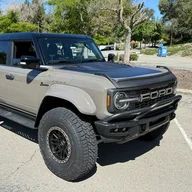
The ONLY stupid question is the one NOT asked! I too did not know this either…
Sponsored


Top



