
Sponsored

Procal issue connecting to computer

DillonC

Raptor
Well-Known Member
First Name
Dillon
Joined
Aug 25, 2023
Threads
6
Messages
114
Reaction score
170
Location
Ga
Vehicle(s)
2012 f250, 2019 expedition
Your Bronco Model
Raptor
So like many I just recieved my procal tune for my raptor, I'm having issues though.

I registered on ford performance with no problem and downloaded the ProCal4 software onto my computer.

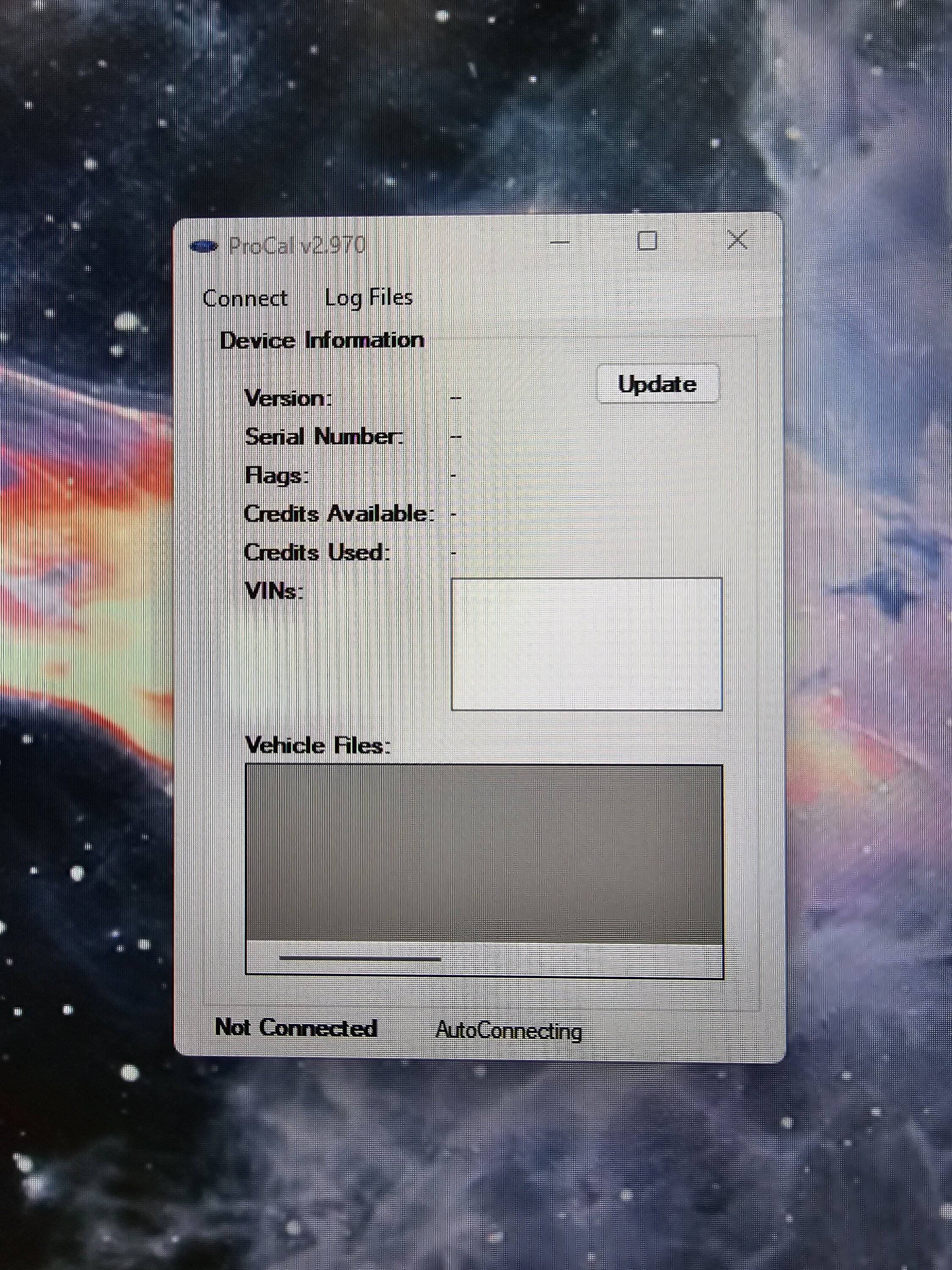
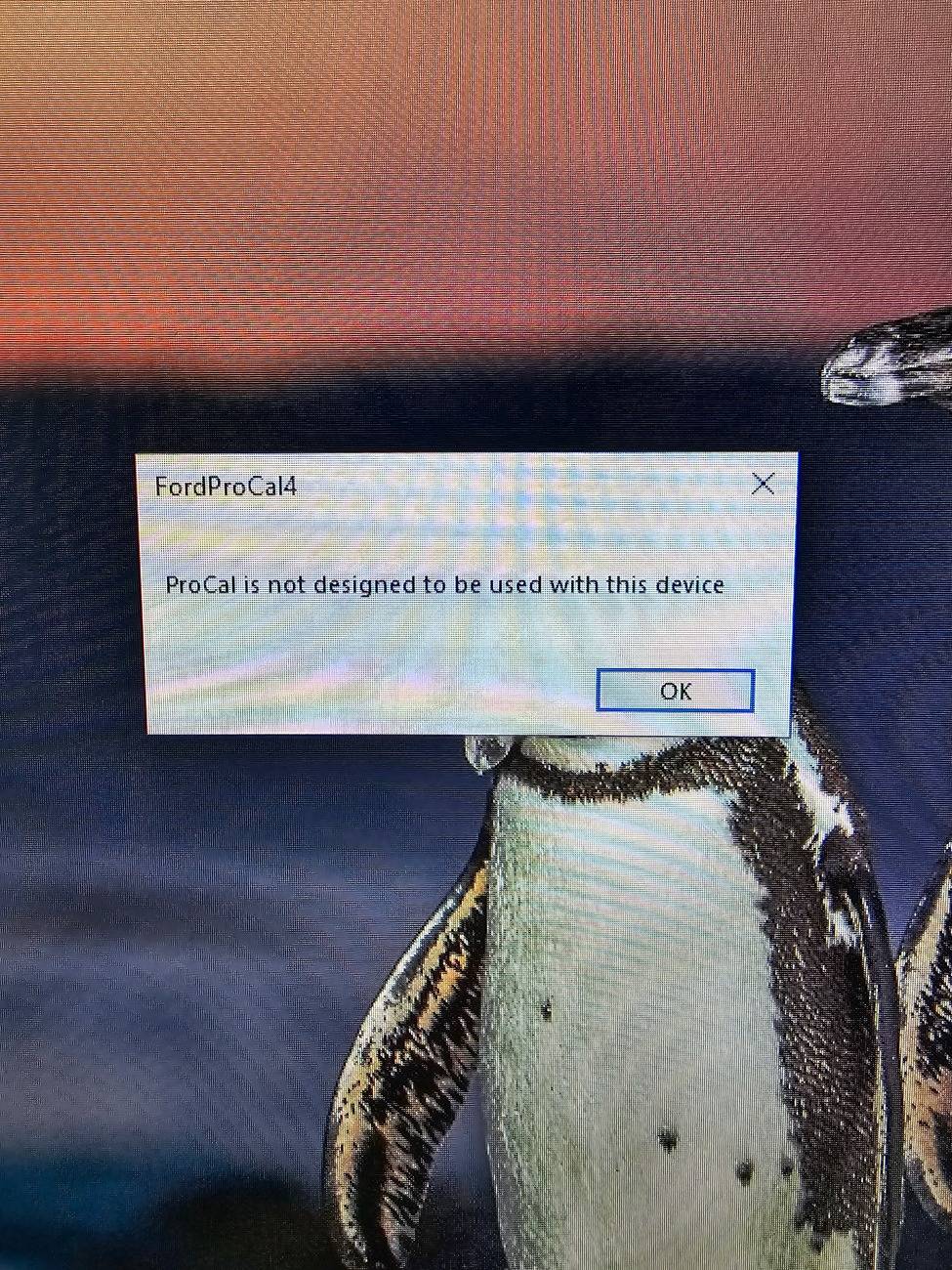
I open the procal software, plug my procal device into my USB port, and it just says "AutoConnecting" indefinitely. It's like the software never recognizes that the device is connected. The procal device shows the flash screen the whole time while plugged in.

I've tried two different computers, updated all drivers, tried different usb cords, etc. Kind of at a loss as what to do.
Ford Bronco Procal issue connecting to computer 20240910_191904
Sponsored


vrtical

Raptor
Well-Known Member
First Name
Doug AI
Joined
Jul 14, 2020
Threads
48
Messages
7,529
Reaction score
15,348
Location
GSMNP, TN
Vehicle(s)
Fords
Your Bronco Model
Raptor
Clubs
 
Find the procal app on the PC, open it then hit connect see if that does it.
 
OP
OP
DillonC

DillonC

Raptor
Well-Known Member
First Name
Dillon
Joined
Aug 25, 2023
Threads
6
Messages
114
Reaction score
170
Location
Ga
Vehicle(s)
2012 f250, 2019 expedition
Your Bronco Model
Raptor
Find the procal app on the PC, open it then hit connect see if that does it.
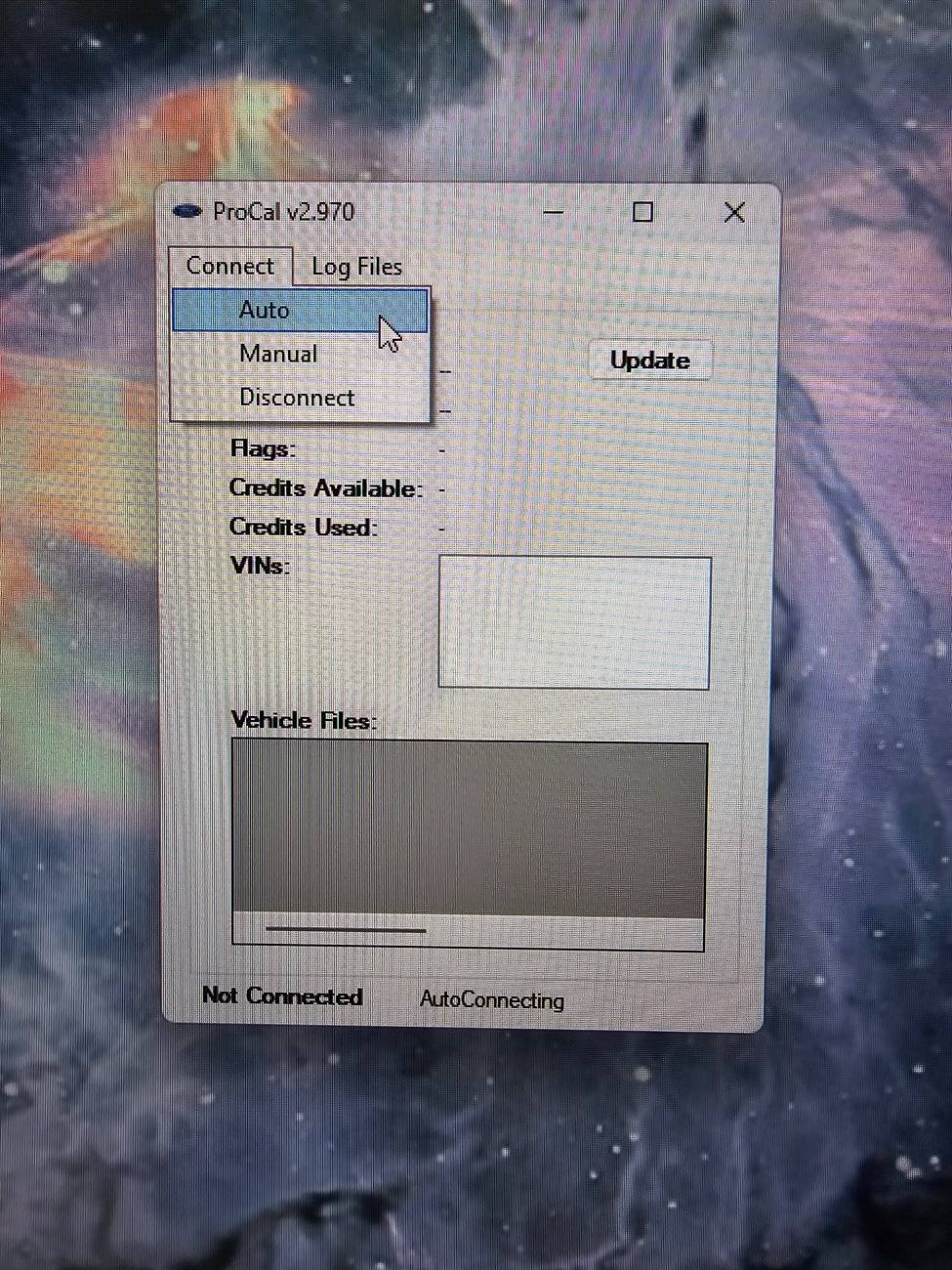
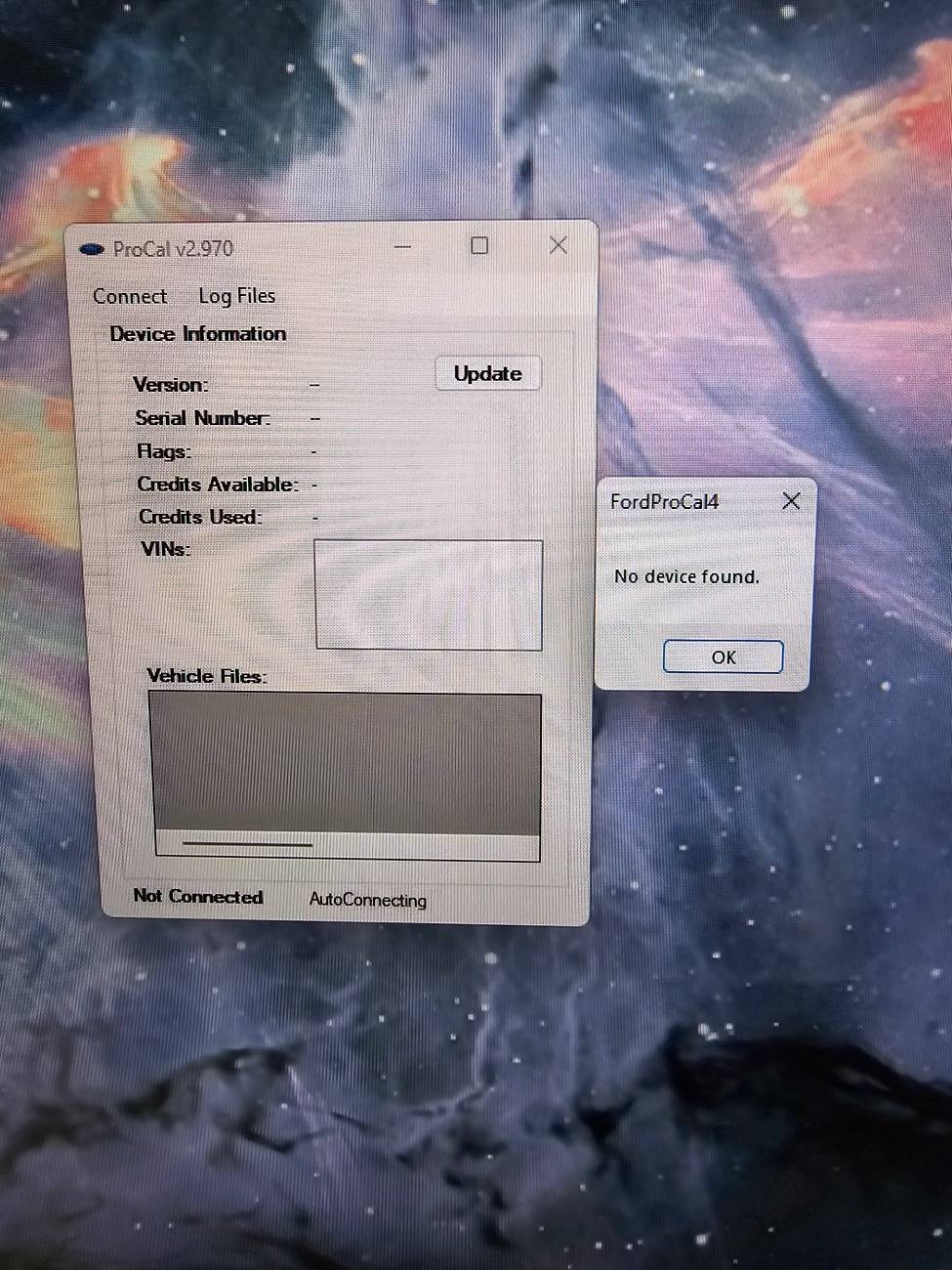
Yeah it doesn't seem to do anything. Hitting connect gives you the three options, and when you hit auto it just says device not found

Ford Bronco Procal issue connecting to computer 20240910_194139


Ford Bronco Procal issue connecting to computer 20240910_194148
 

Brian_B

Big Bend
Well-Known Member
First Name
Brian
Joined
Sep 14, 2023
Threads
60
Messages
8,230
Reaction score
14,570
Location
Central CA
Vehicle(s)
'23 BB 4dr 7MT, '22 BSport OBX, '87 B-II XL
Your Bronco Model
Big Bend
Clubs
 
I had this issue when I first got my device. I had to get a different USB cord. I know you said you already tried that though...
 

deHOOCH

Raptor
Active Member
First Name
David
Joined
Aug 26, 2024
Threads
2
Messages
37
Reaction score
36
Location
DFW
Vehicle(s)
'24 Cactus Grey BRaptor
Your Bronco Model
Raptor
Are you running WIndows 10 or 11?

If you're running 11. Try right right clicking on the Application. Select Properties. Compatibility Tab. Check theRun this program in compatibility mode for: Window 10. Click Apply. Click Ok. Then try opening App and plugging in again.
 

Sponsored
OP
OP
DillonC

DillonC

Raptor
Well-Known Member
First Name
Dillon
Joined
Aug 25, 2023
Threads
6
Messages
114
Reaction score
170
Location
Ga
Vehicle(s)
2012 f250, 2019 expedition
Your Bronco Model
Raptor
Are you running WIndows 10 or 11?

If you're running 11. Try right right clicking on the Application. Select Properties. Compatibility Tab. Check theRun this program in compatibility mode for: Window 10. Click Apply. Click Ok. Then try opening App and plugging in again.
Running 11, but also tried on a windows 10 computer with the same results.

Windows 8 was the highest I'm able to select to run as, but it still just does the same thing.

I'm thinking it's got to be some sort of connection issue, whether it be the cords I've tried or some setting on my pc stopping it.
 
Last edited:

deHOOCH

Raptor
Active Member
First Name
David
Joined
Aug 26, 2024
Threads
2
Messages
37
Reaction score
36
Location
DFW
Vehicle(s)
'24 Cactus Grey BRaptor
Your Bronco Model
Raptor
Running 11, but also tried on a windows 10 computer with the same results.

Windows 8 was the highest I'm able to select to run as, but it still just does the same thing.

I'm thinking it's got to be some sort of connection issue, whether it be the cords I've tried or some setting on my pc stopping it.
Someone in another thread said they had to use a different USB cable than the one in the box
 

Epiphany

Raptor
Well-Known Member
Joined
Mar 27, 2024
Threads
5
Messages
448
Reaction score
654
Location
Upstate
Vehicle(s)
'24 Bronco
Your Bronco Model
Raptor
Did you try clicking on update? Mine had to be updated.
 
OP
OP
DillonC

DillonC

Raptor
Well-Known Member
First Name
Dillon
Joined
Aug 25, 2023
Threads
6
Messages
114
Reaction score
170
Location
Ga
Vehicle(s)
2012 f250, 2019 expedition
Your Bronco Model
Raptor
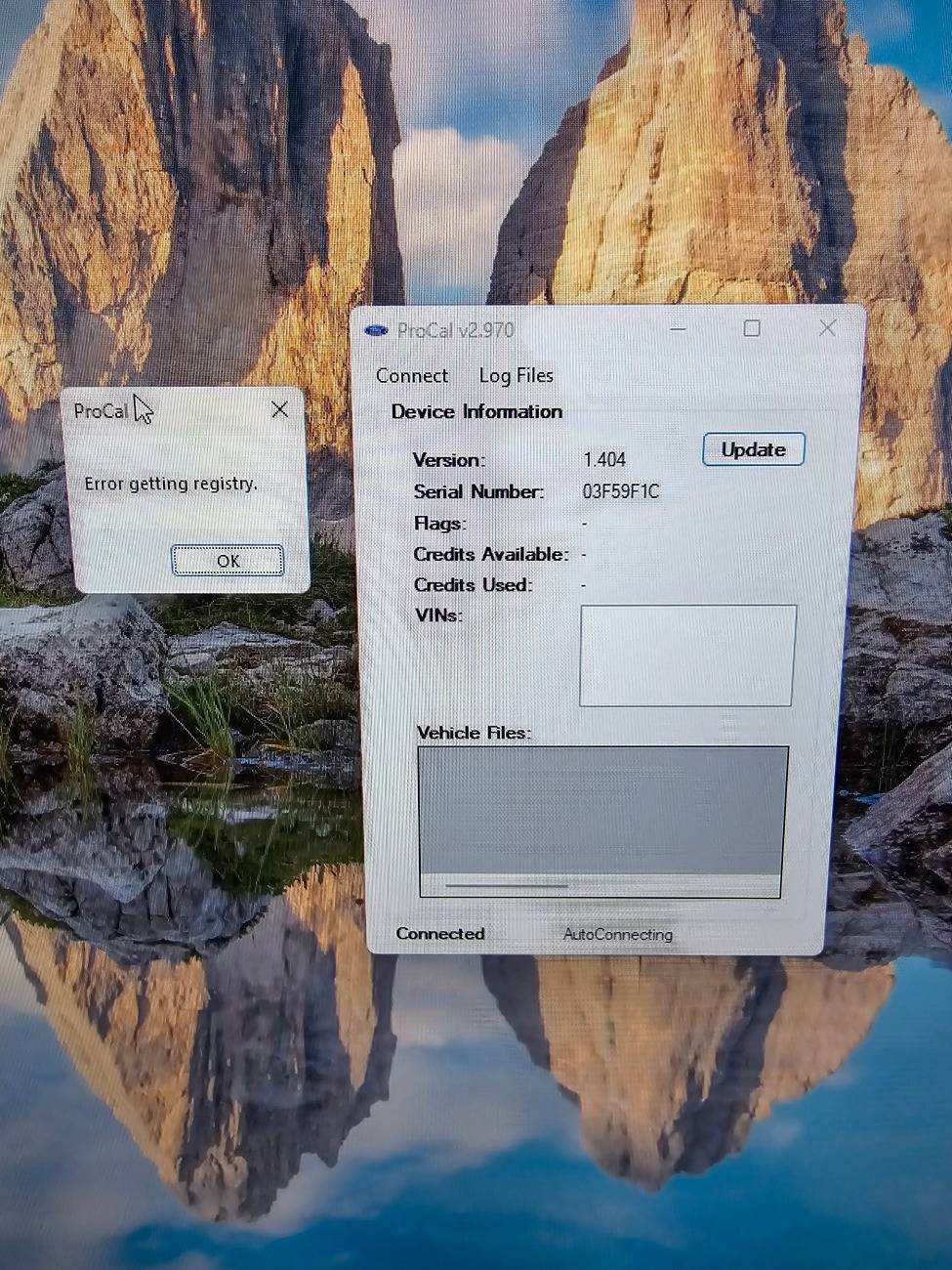
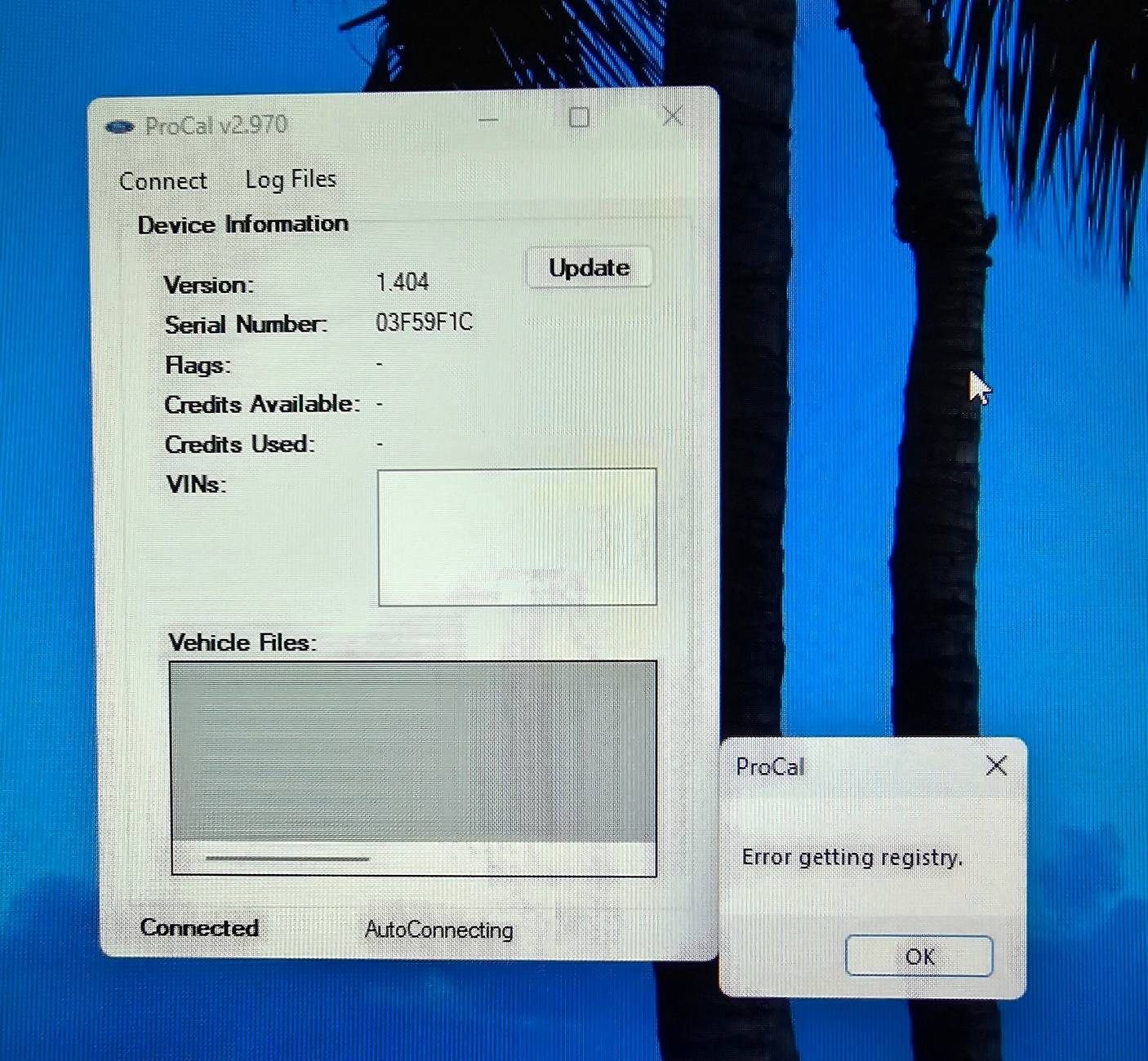
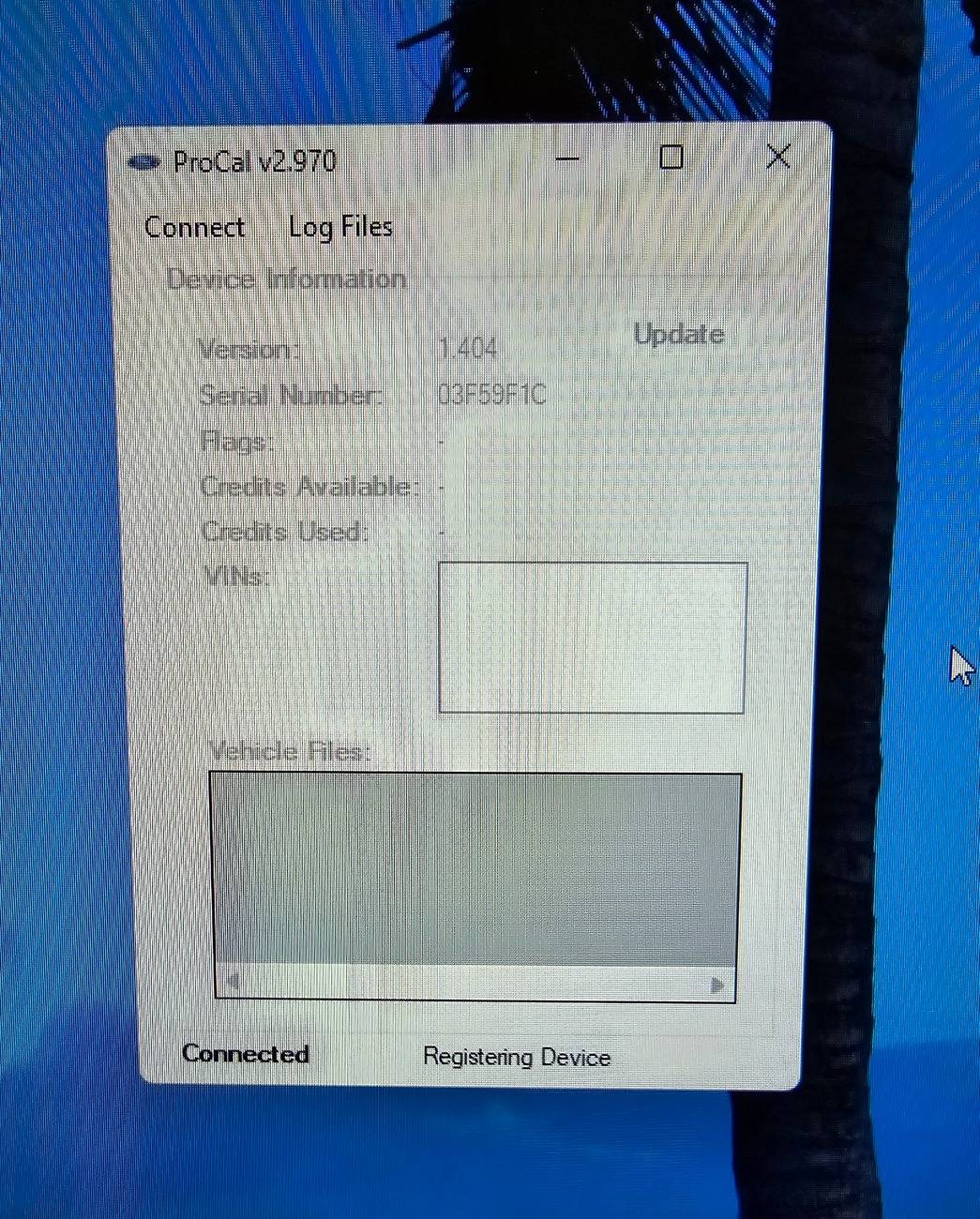
Got a little bit closer on a work computer, it atleast pulled some info from the device.

Says "Error getting registry" now though
Ford Bronco Procal issue connecting to computer 20240911_091837
 

PA BRaptor

Raptor
Well-Known Member
First Name
Kevin
Joined
Feb 3, 2023
Threads
0
Messages
66
Reaction score
78
Location
Western PA
Vehicle(s)
Ford F350
Your Bronco Model
Raptor
Clubs
 
I haven't tried using ProCal but was tech support for a group of technicians who used multiple USB devices on Windows laptops. We often had USB comm issues.

With the device not connected to your laptop, go to the Win 11 Device Manager. Expand the USB dropdown selection. connect the ProCal device to the laptop. The device manager should auto update to show the connection is made and it should display the Com port it connected to. If it does not, try again with different USB cables.

If it does work and display the USB Com port. Note the port number.

I've not used ProCal but I expect the manual connection selection would allow you to enter the USB Com port.

I have used software whose Com port selection topped out at Com 10. And the laptop auto assigned the device to a Com port greater than 10. This happens if the laptop has a history where a bunch of USB devices were connected and the next device is greater than Com 10.

If this happens, you can delete Com connections to get back into the Com range the software expects.
 

Sponsored
OP
OP
DillonC

DillonC

Raptor
Well-Known Member
First Name
Dillon
Joined
Aug 25, 2023
Threads
6
Messages
114
Reaction score
170
Location
Ga
Vehicle(s)
2012 f250, 2019 expedition
Your Bronco Model
Raptor
I haven't tried using ProCal but was tech support for a group of technicians who used multiple USB devices on Windows laptops. We often had USB comm issues.

With the device not connected to your laptop, go to the Win 11 Device Manager. Expand the USB dropdown selection. connect the ProCal device to the laptop. The device manager should auto update to show the connection is made and it should display the Com port it connected to. If it does not, try again with different USB cables.

If it does work and display the USB Com port. Note the port number.

I've not used ProCal but I expect the manual connection selection would allow you to enter the USB Com port.

I have used software whose Com port selection topped out at Com 10. And the laptop auto assigned the device to a Com port greater than 10. This happens if the laptop has a history where a bunch of USB devices were connected and the next device is greater than Com 10.

If this happens, you can delete Com connections to get back into the Com range the software expects.
Thanks for the insight, but everything seems normal when plugging/unplugging the device. It shows up on the computer as it should.

It's just like the procal software on the computer isn't communicating properly.
 
OP
OP
DillonC

DillonC

Raptor
Well-Known Member
First Name
Dillon
Joined
Aug 25, 2023
Threads
6
Messages
114
Reaction score
170
Location
Ga
Vehicle(s)
2012 f250, 2019 expedition
Your Bronco Model
Raptor
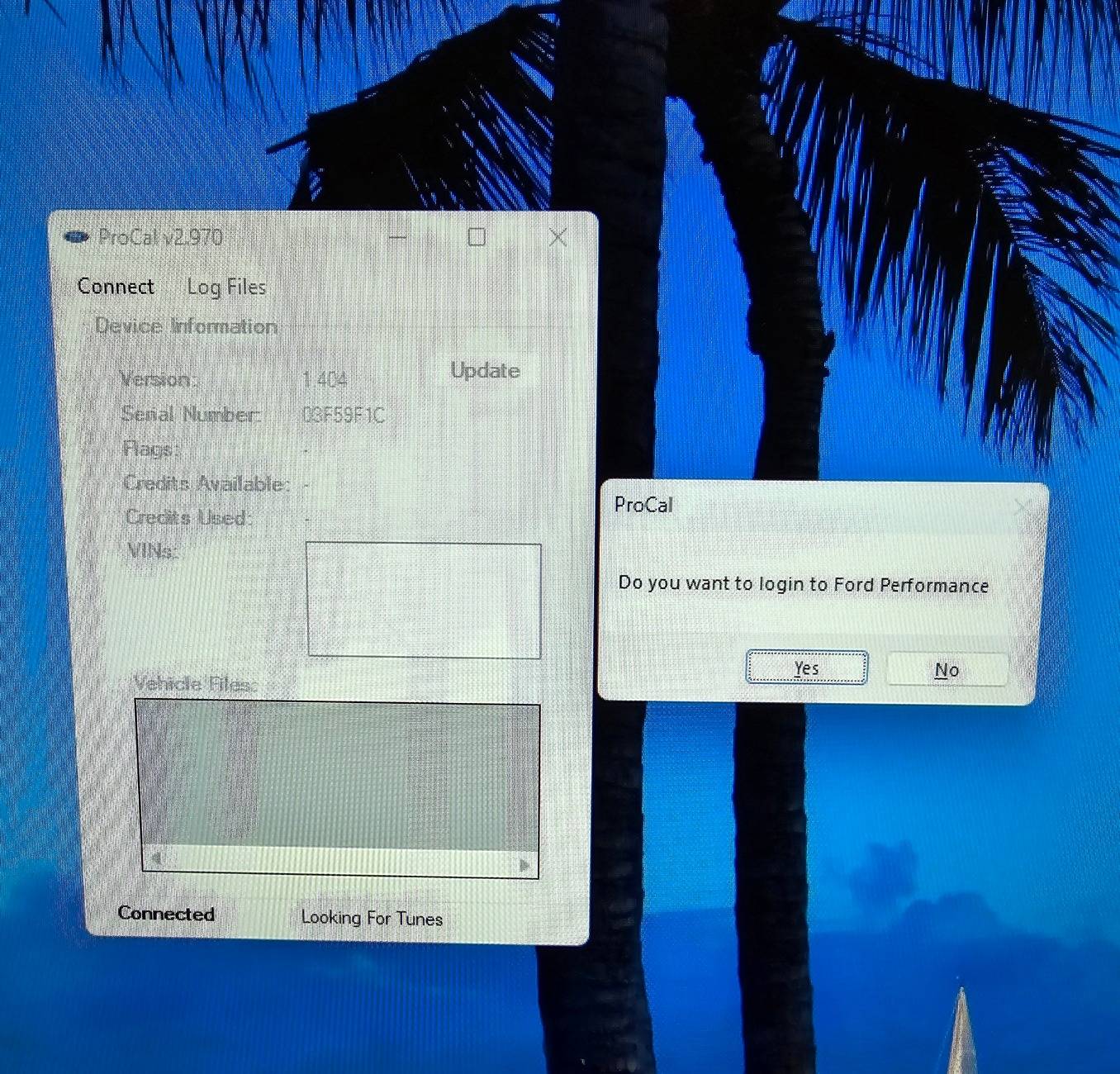
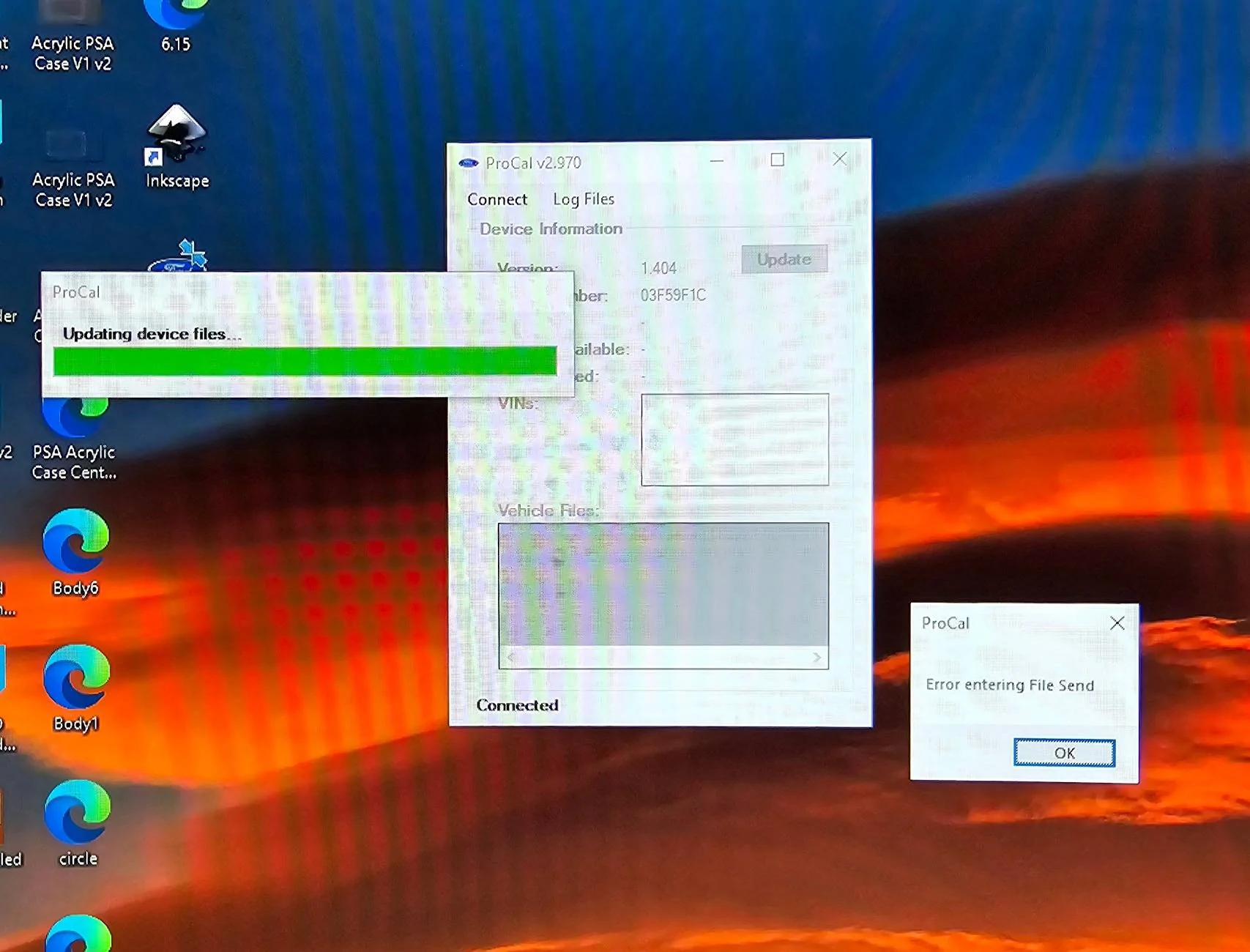
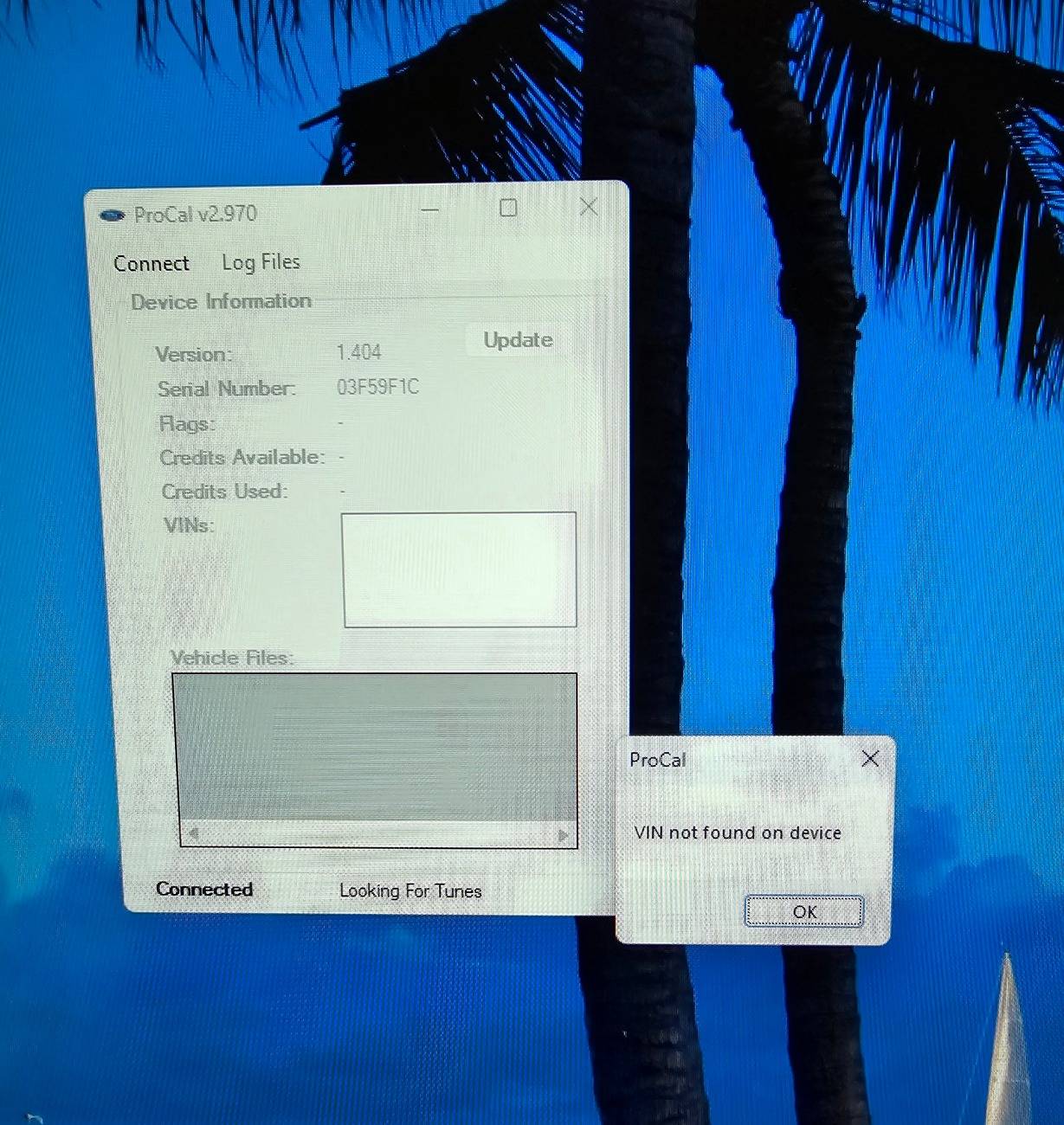
I called Ford Performance around lunch earlier and of course they've never seen the errors I'm getting. He asked for some screenshots so I sent a few, but haven't heard back yet.

At this point I've tried 3 different computers, 6 or so USB cables, and nearly anything I can think of.

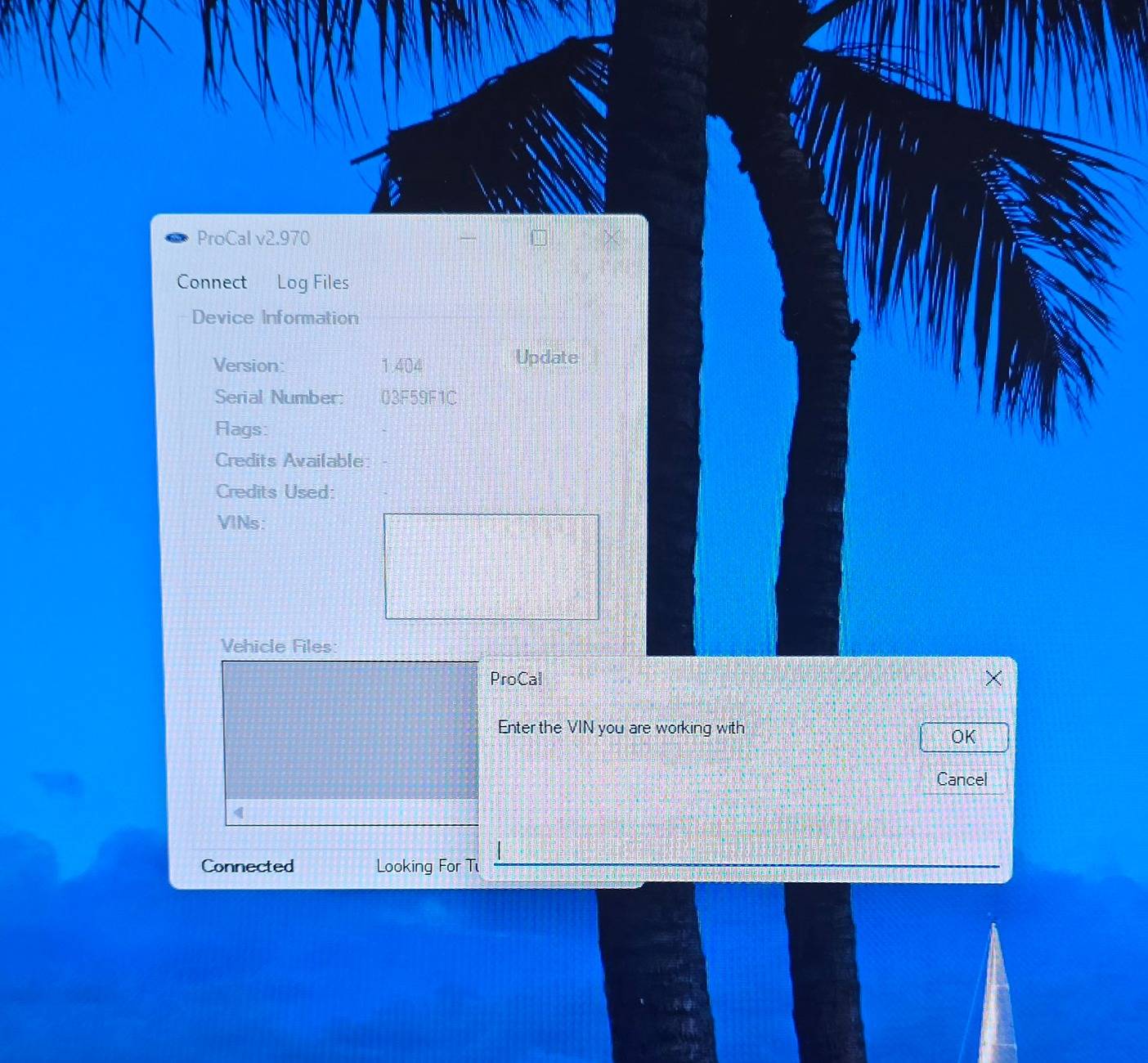
I'll randomly get it to connect, but it won't do anything from there that doesn't lead to another error.

Here are all that I've gotten so far.

Ford Bronco Procal issue connecting to computer 20240911_140803


Ford Bronco Procal issue connecting to computer 20240911_142021


Ford Bronco Procal issue connecting to computer 20240911_140831


Ford Bronco Procal issue connecting to computer 20240911_141951


Ford Bronco Procal issue connecting to computer 20240911_175637


Ford Bronco Procal issue connecting to computer 20240911_142121


Ford Bronco Procal issue connecting to computer 20240911_183308
 

Johnkn

Raptor
Well-Known Member
First Name
John
Joined
Jul 2, 2024
Threads
49
Messages
498
Reaction score
563
Location
Maryland
Vehicle(s)
'66 GT350, 68.5 CJ Mustang, B2, Viper, Pantera,TRX
Your Bronco Model
Raptor
With all you’ve tried, Perhaps the Procal device is bad.........


.
 
OP
OP
DillonC

DillonC

Raptor
Well-Known Member
First Name
Dillon
Joined
Aug 25, 2023
Threads
6
Messages
114
Reaction score
170
Location
Ga
Vehicle(s)
2012 f250, 2019 expedition
Your Bronco Model
Raptor
With all you’ve tried, Perhaps the Procal device is bad.........


.
Haha that's what I'm starting to wonder. It's frustrating to say the least.
 

Epiphany

Raptor
Well-Known Member
Joined
Mar 27, 2024
Threads
5
Messages
448
Reaction score
654
Location
Upstate
Vehicle(s)
'24 Bronco
Your Bronco Model
Raptor
At this point I've tried 3 different computers, 6 or so USB cables, and nearly anything I can think of.
Either the ProCal device is defective or the software is corrupted, etc. FP should offer an exchange.

Livernois may have some insight as much as they'll tell you this is Ford's baby. The ProCal hardware is all theirs.
Sponsored


Top