Sponsored

Deleted member 19285

Guest
Hey, I've been using your ST and Hubitat apps for years. Great to see you here.

Now I realize I'll need a Bronco-Hubitat integration.
Sponsored

 
OP
OP

tonesto7

Member
First Name
Anthony
Joined
Dec 15, 2021
Threads
1
Messages
24
Reaction score
93
Location
Ann Arbor, Mi
Vehicle(s)
2021 F150 Lariat 502A
Your Bronco Model
Undecided
New Release: v2022.02.21.0

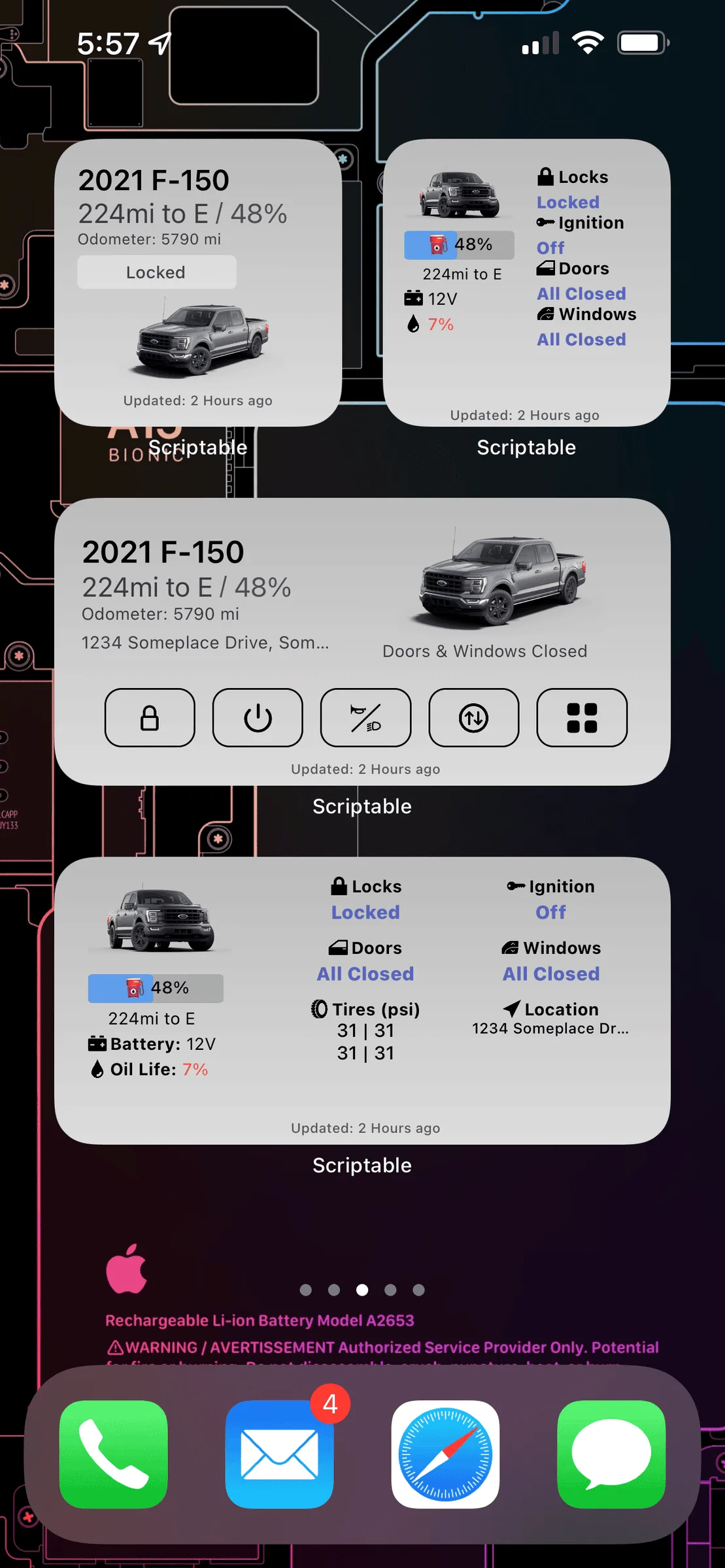
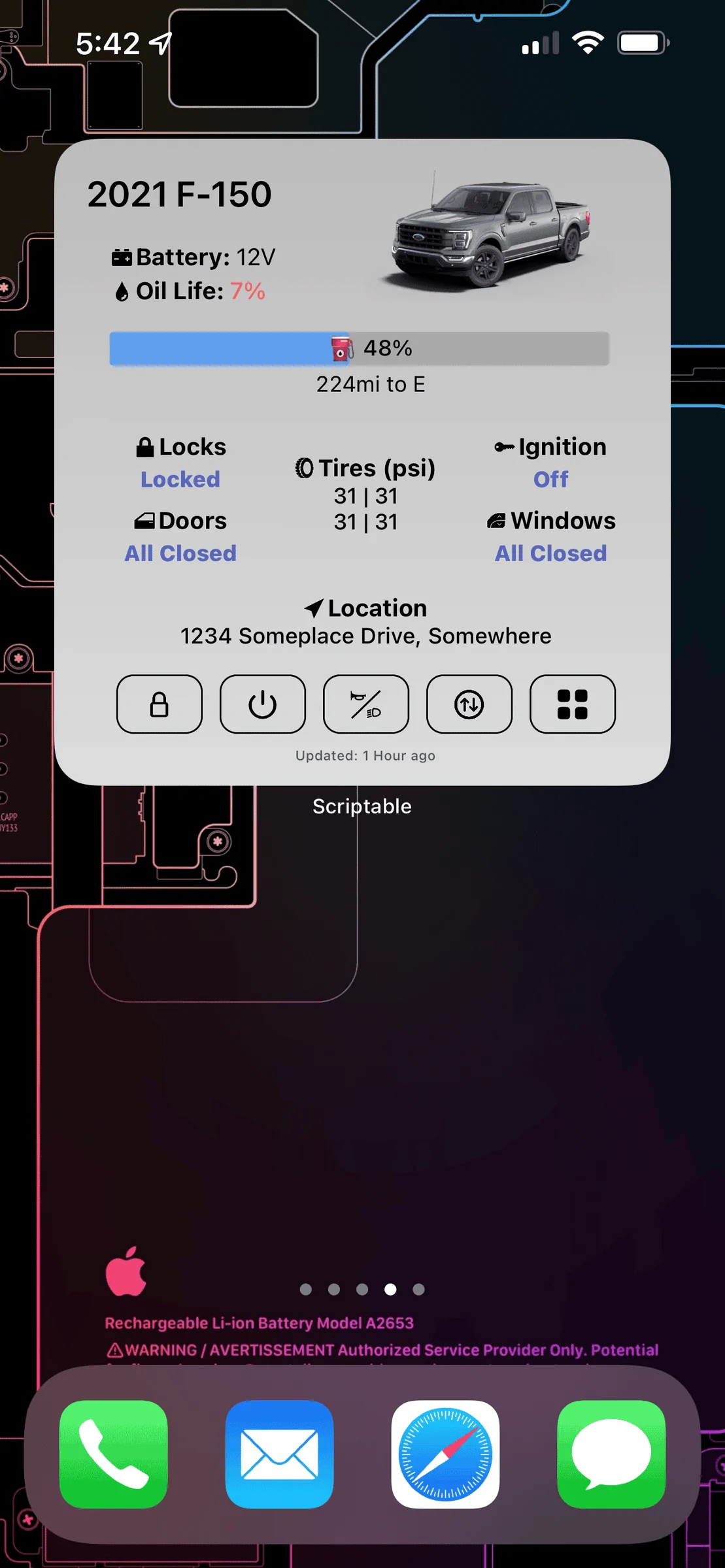
I just pushed out a new release which hopefully gets the large widgets working more consistently.
Please let me know the outcome!
 

4XMORE

First Edition
Well-Known Member
First Name
AJ
Joined
Oct 29, 2020
Threads
1
Messages
92
Reaction score
315
Location
OC
Vehicle(s)
Ford Raptor
Your Bronco Model
First Edition
Clubs
 
New Release: v2022.02.21.0

I just pushed out a new release which hopefully gets the large widgets working more consistently.
Please let me know the outcome!
How do we install the update?
 

wesk1318

Outer Banks
Member
First Name
Weston
Joined
Feb 1, 2022
Threads
9
Messages
24
Reaction score
51
Location
Atlanta GA
Vehicle(s)
2022 bronco
Your Bronco Model
Outer Banks
So when you are using the app and want to unlock the doors for example, you click on the unlock in the widget but then it opens the scriptable and asks again to unlock?

Does it not just unlock the doors via the widget and not have to open the scriptable app?

Also the image did not load?
 

Indica

Heritage
Well-Known Member
First Name
Alek
Joined
Jan 15, 2022
Threads
5
Messages
135
Reaction score
87
Location
Illinois
Vehicle(s)
‘21 Big Bend
Your Bronco Model
Heritage
@tonesto7 Thanks for making the recent updates! My Bronco’s picture is showing now.
 

Sponsored

Bbaliatico

Base
Well-Known Member
First Name
Brian
Joined
Nov 24, 2021
Threads
11
Messages
91
Reaction score
91
Location
New Jersey
Vehicle(s)
2022 Bronco
Your Bronco Model
Base
FordPass Scriptable Widget v2022.02.18.0

Description:

Many months ago I found a FordPass widget while searching for some Ford pass API stuff.
I've completely refactored the entire script and turned it into an alternative control to FordPass.

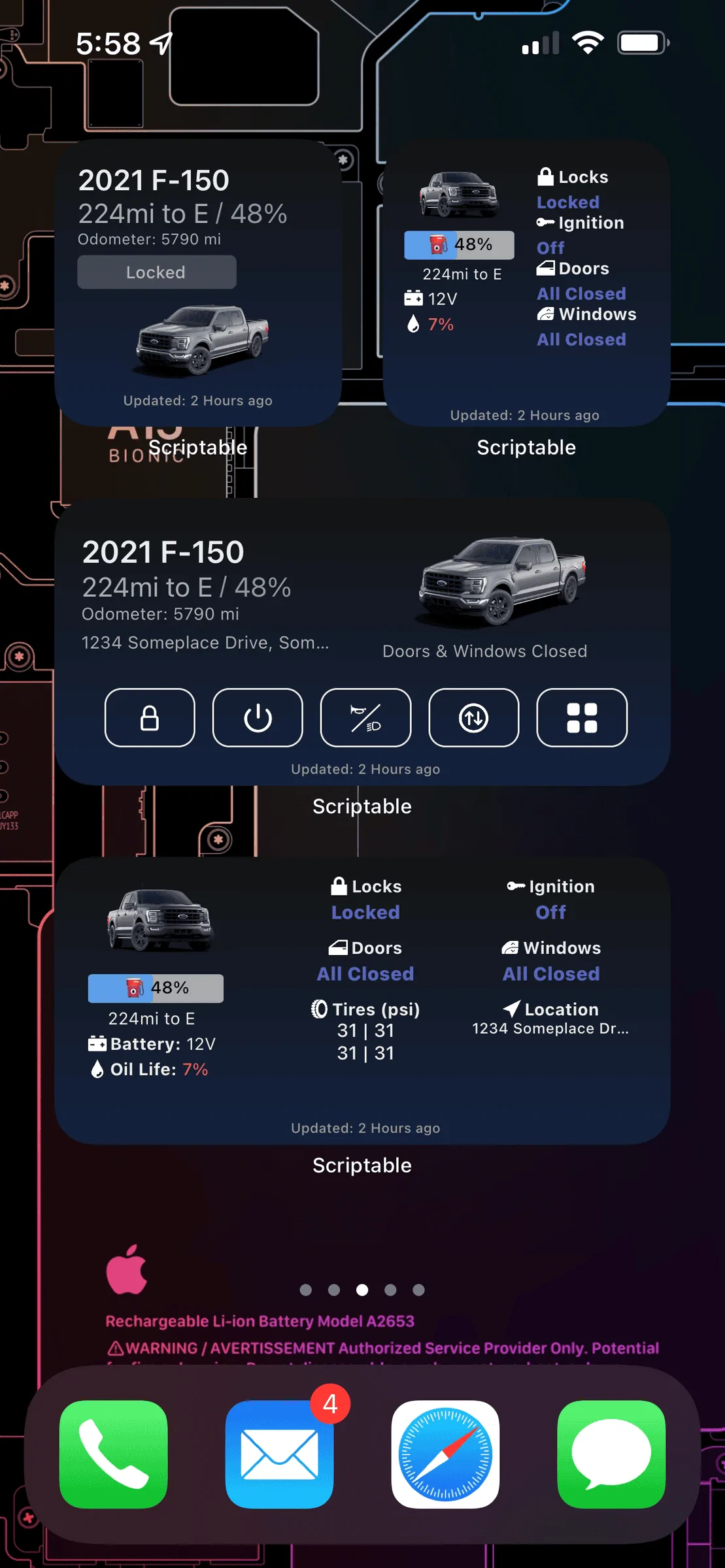
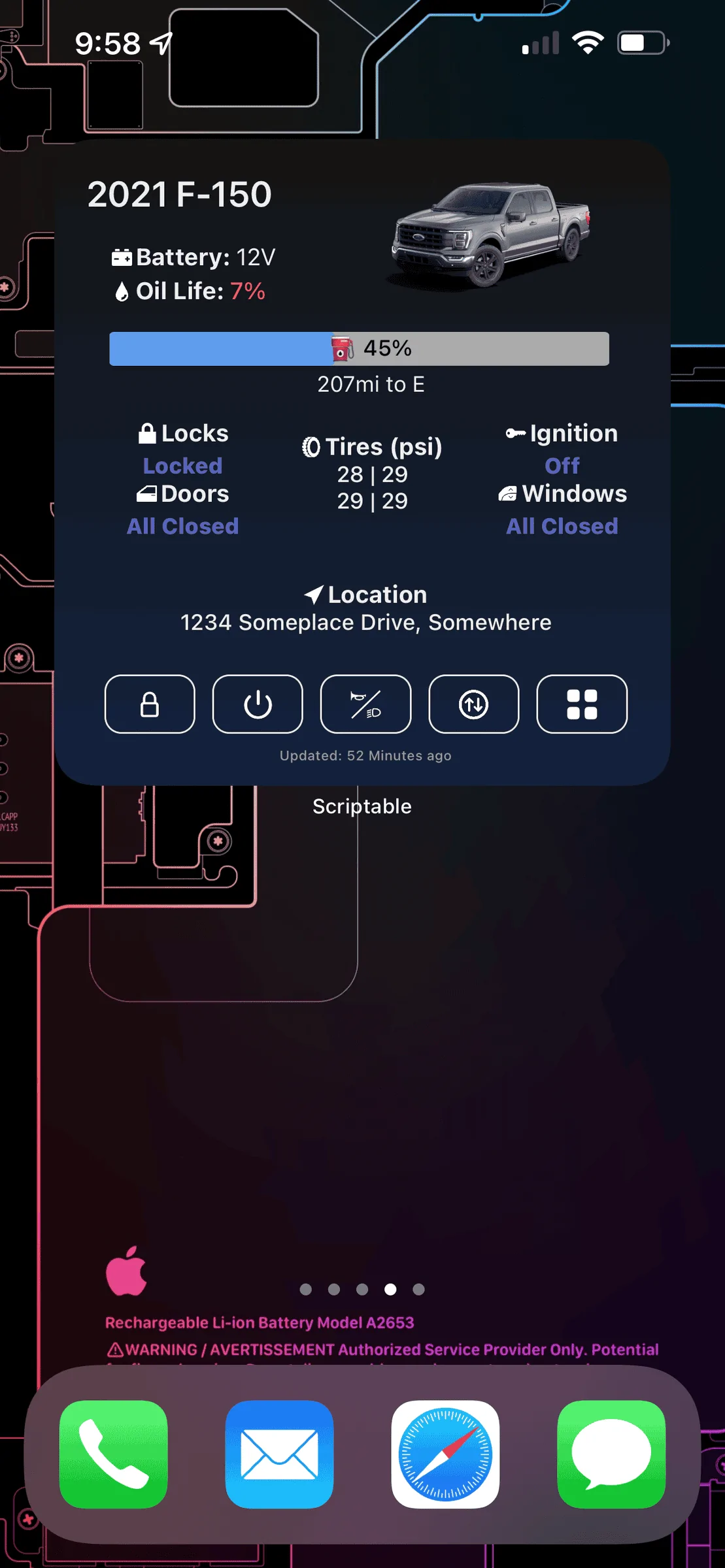
dark_widgets_example_v2_1.png
dark_widgets_example_v2_2.png
light_widgets_example_v2_1.png
light_widgets_example_v2_2.png


Feature Walkthrough Video:


What's New in V2:
  • New Widget Designs
  • Define widget types in widget settings as a parameter (this allows you to have multiple versions of the same widget. If you don't define a color mode it will use the system dark mode setting.
    • detailed
    • detailedDark
    • detailedLight
    • simple
    • simpleDark
    • simpleLight
  • Quick action buttons on some of the widgets.
  • Modified the fuel/battery to embed the icon in the bar itself.
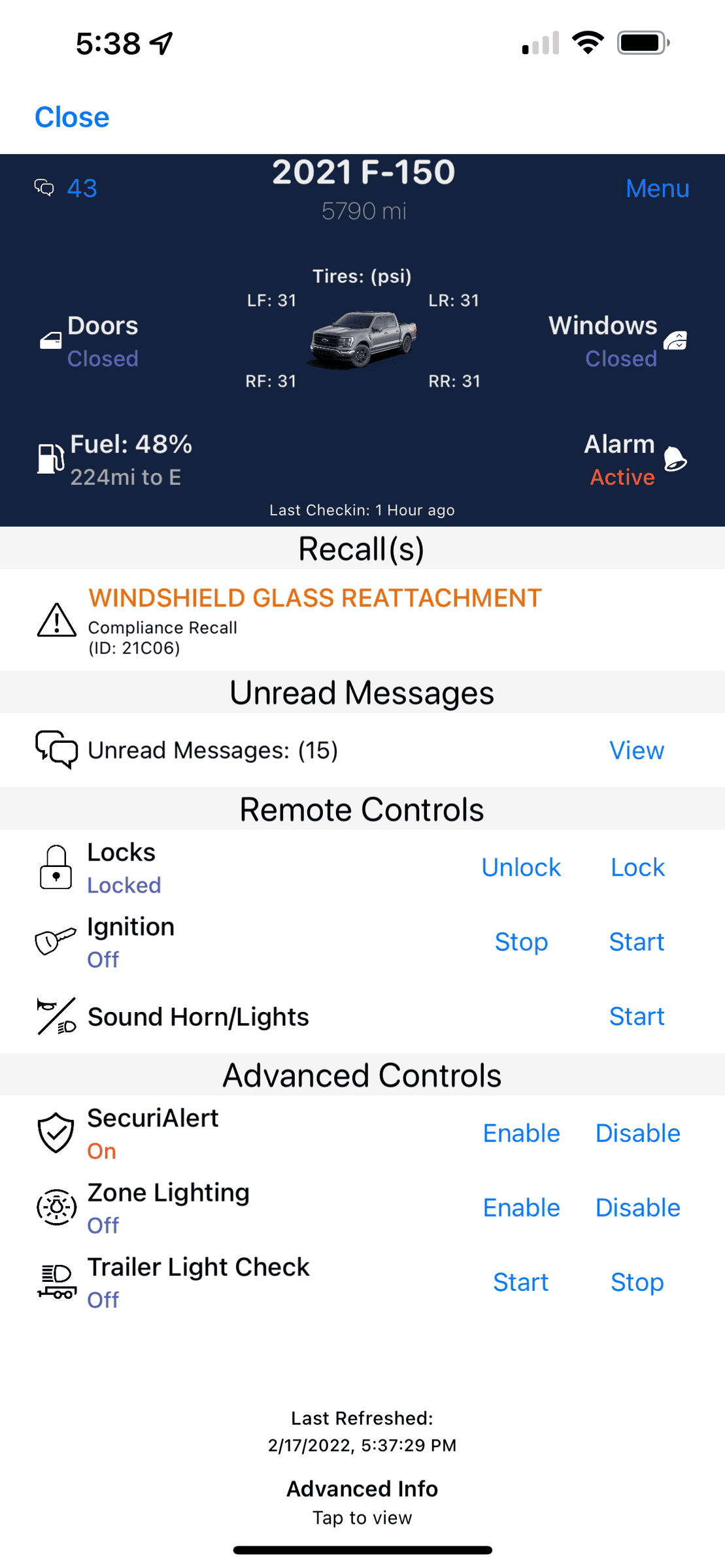
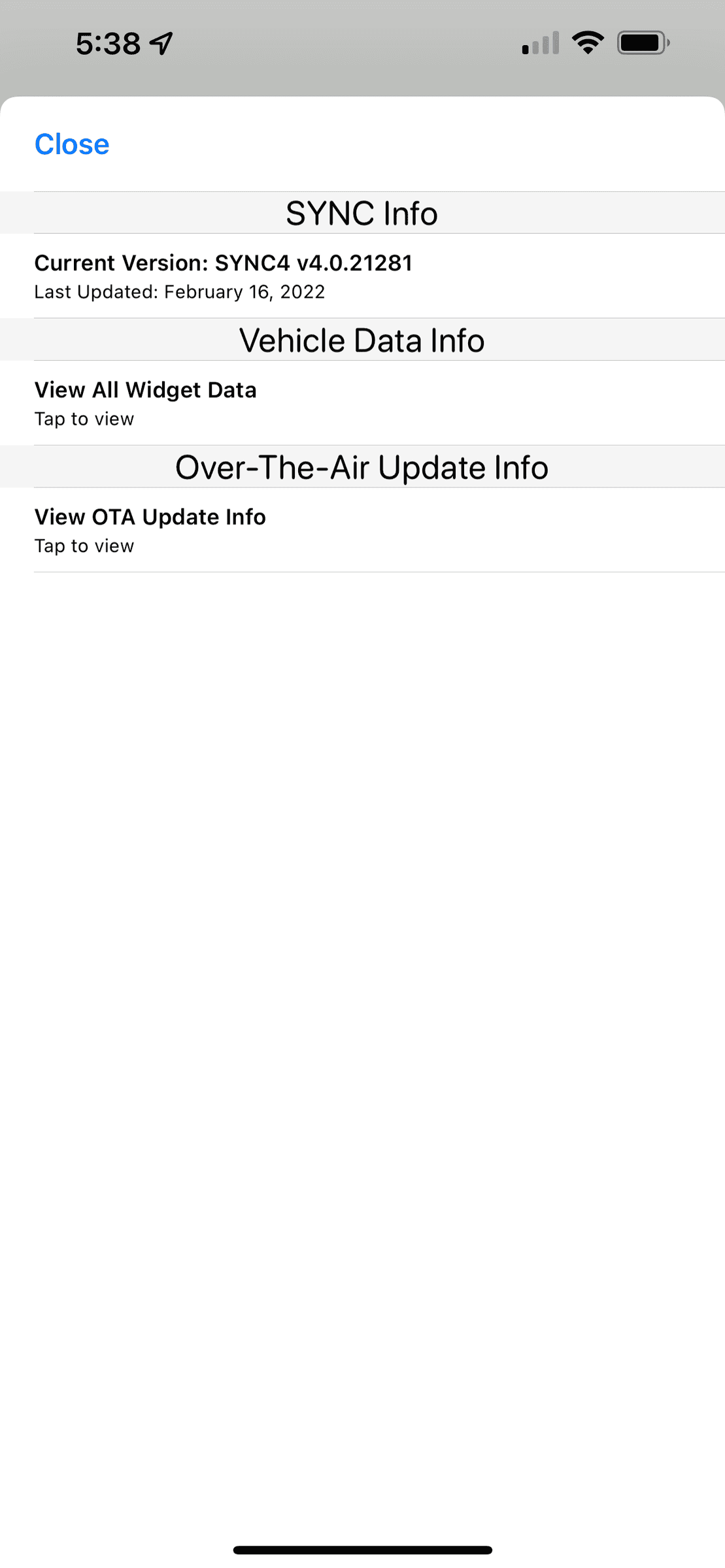
  • New dashboard app that opens in scriptable for info and controls
    dashboard_menu_example_1.png
    dashboard_menu_example_2.png

  • Push notifications for the following:
    • Widget updates
    • Deep Sleep Mode
    • Low 12V Battery (off by default)
    • Firmware Updates
  • Lots and lots of bug fixes.

Download and Instructions:
https://github.com/tonesto7/fordpass-scriptable
Ford Widget Tool Installer (tonesto7.github.io)

Updating from v1:
Please install the latest widget tool

https://github.com/tonesto7/fordpass-scriptable
Ford Widget Tool Installer (tonesto7.github.io)

Latest Release Announcement:


Reporting Issues and Feature Requests:

Please open up issues or feature requests here https://github.com/tonesto7/fordpass-scriptable/issues

If you are a coder yourself please submit pull requests and I will gladly merge them if they make sense.

Giving Thanks:
Thanks again to dschablowsky for all his work on the original script which gave me the ambition to make this beast of a widget.
Following instructions, but when i hit play on the script to install the widget, it gives me an error - " 2022-06-14 14:09:42: Error on line 15:70: iCloud is not supported. Make sure that you are logged into iCloud in the device settings."

any suggestions? I am logged into icloud
 
OP
OP

tonesto7

Member
First Name
Anthony
Joined
Dec 15, 2021
Threads
1
Messages
24
Reaction score
93
Location
Ann Arbor, Mi
Vehicle(s)
2021 F150 Lariat 502A
Your Bronco Model
Undecided
Following instructions, but when i hit play on the script to install the widget, it gives me an error - " 2022-06-14 14:09:42: Error on line 15:70: iCloud is not supported. Make sure that you are logged into iCloud in the device settings."

any suggestions? I am logged into icloud
I've heard others mention this before. You will need to go into iCloud settings under iOS and make sure Files and Scriptable are both toggled on.
 

faziorf

Outer Banks
Well-Known Member
Joined
Oct 6, 2020
Threads
1
Messages
114
Reaction score
298
Location
NJ
Vehicle(s)
'21 2DR OBX AMB
Your Bronco Model
Outer Banks
I saw this SSM come through https://static.nhtsa.gov/odi/tsbs/2022/MC-10212957-0001.pdf

“Some 2013-2023 Ford or Lincoln vehicles with modems activated through FordPass or LincolnWay may experience 12 volt battery drain symptoms when the customer uses non-Ford/Lincoln phone applications as an alternate channel to access vehicle commands such as door lock/unlock, remote start, vehicle location, etc. The battery drain may be caused by excessive calls for data through the vehicle network keeping it in an activated state.”

@tonesto7 Does this effect you at all with the app? You getting pressure to take it down?
 
Last edited:

zyglyrox

Big Bend
Well-Known Member
First Name
Cory
Joined
May 11, 2021
Threads
6
Messages
1,065
Reaction score
2,311
Location
Cleveland
Vehicle(s)
‘24 BB Sas / ‘21 Bronco Sport BB
Your Bronco Model
Big Bend
Clubs
 
So I’ve gotten to the part where it asked to select my vehicle, and I am only able to choose our 2021 Bronco Sport, my 2022 Bronco does not show up.
 

bytheway

Badlands
Well-Known Member
First Name
Brice
Joined
Jul 6, 2020
Threads
72
Messages
1,540
Reaction score
4,434
Location
Louisville, KY
Vehicle(s)
2021 Bronco
Your Bronco Model
Badlands
Clubs
 
My script was broken for a week or two. I think the new Fordpass updates had it screwed up. The script updated yesterday and it was fixed. For anyone who had the same issue, try updating to newest script (7.04)
 

Sponsored

Tortuga353

Badlands
Well-Known Member
Joined
Jul 9, 2020
Threads
3
Messages
459
Reaction score
1,088
Location
Laguna Beach, FL
Vehicle(s)
Bronco
Your Bronco Model
Badlands
Clubs
 
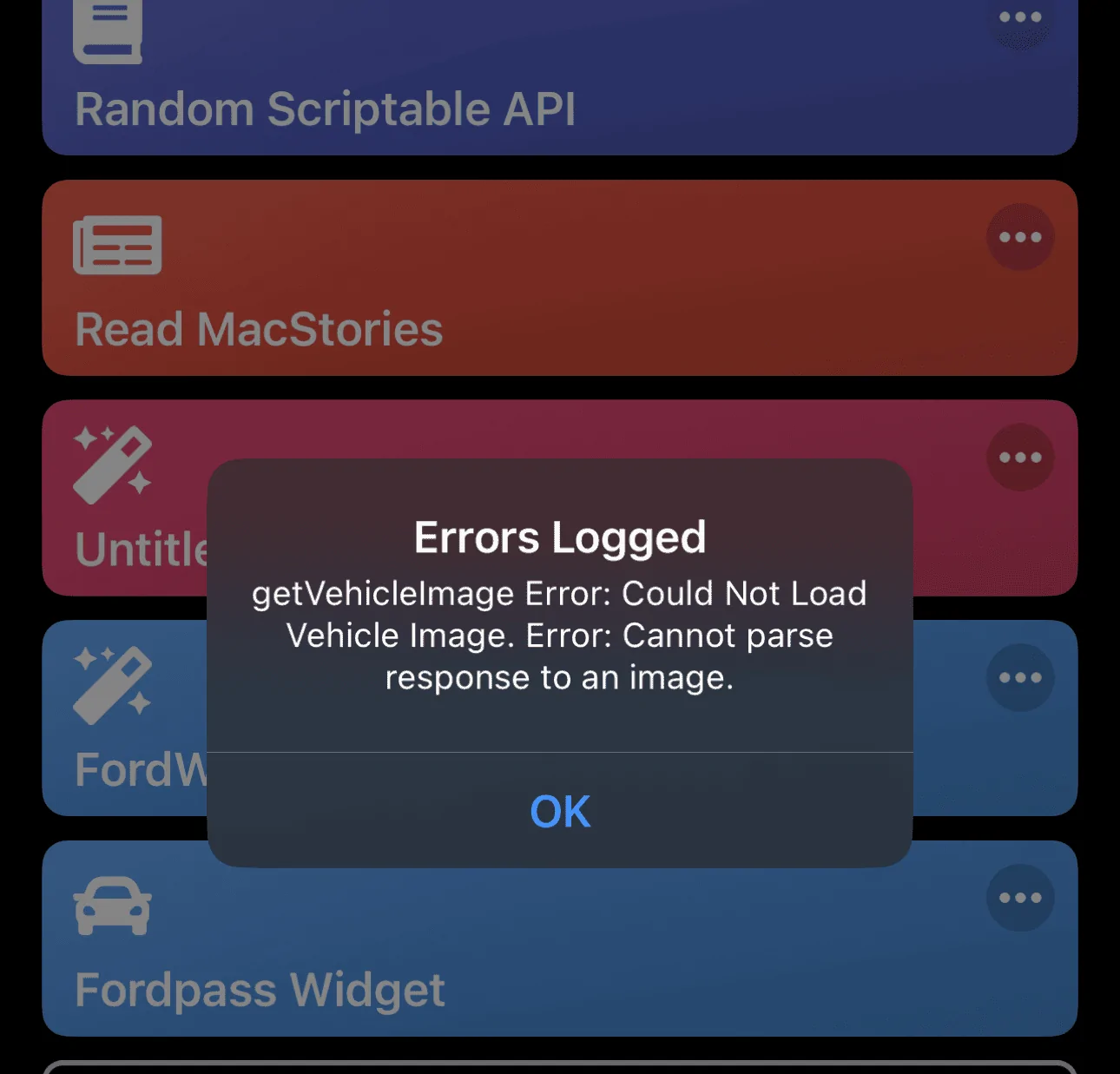
Mines not loading images based on my Vin.

Ford Bronco FordPass - Scriptable Widget V2022.XX (iOS, iPad, MacOS) 1663383520388
 

Agrod

Outer Banks
Well-Known Member
Joined
Aug 20, 2022
Threads
8
Messages
125
Reaction score
166
Location
SJ, PR
Vehicle(s)
22 4dr OBX
Your Bronco Model
Outer Banks
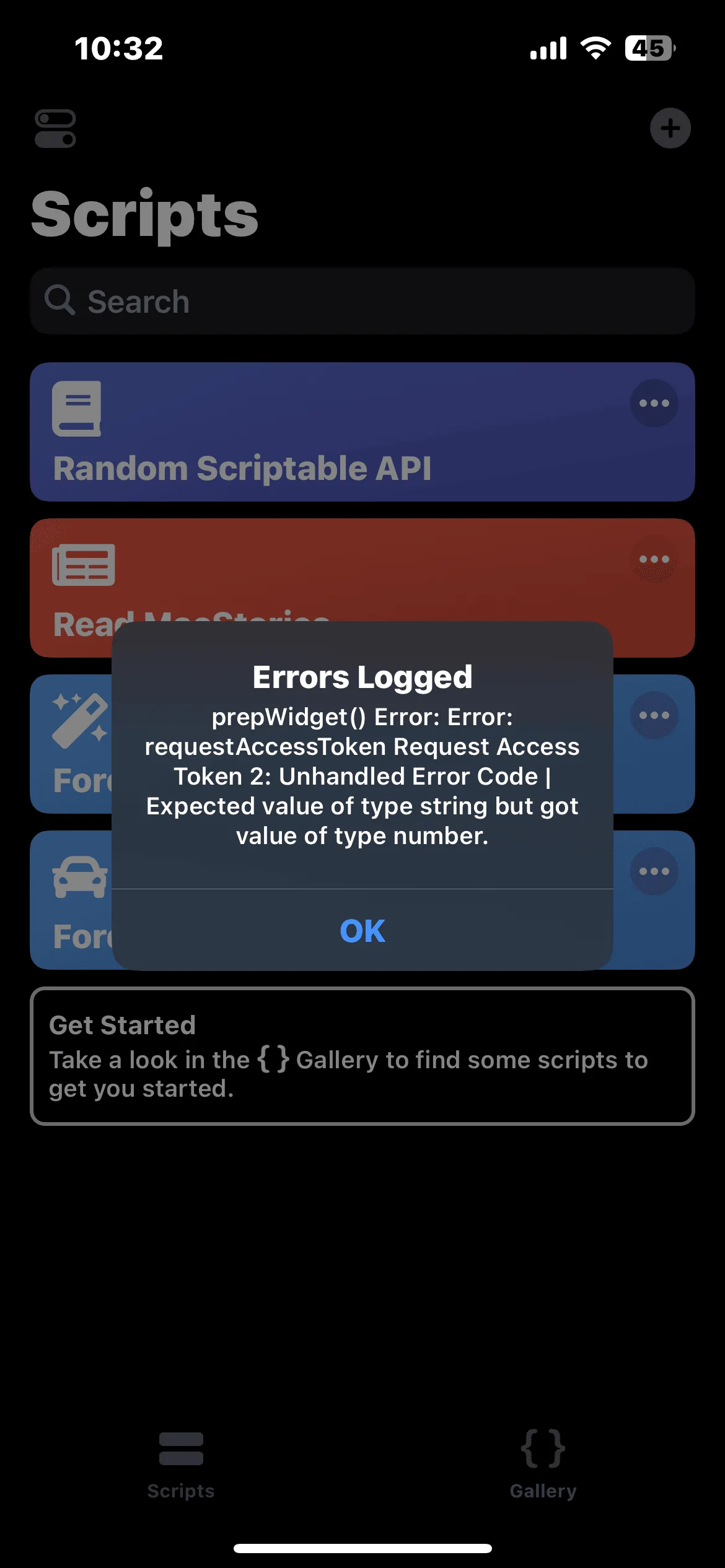
I haven’t been able to get this to work. I get the login prompt, but it keeps showing the region as NA. Afterwards, I get the following message:
Ford Bronco FordPass - Scriptable Widget V2022.XX (iOS, iPad, MacOS) 23EA7269-0DEF-4561-9E85-06B11F73B194

Any help appreciated.

EDIT:
Found that this issue was already reported in GitHub, and it may be because of a change to the api token auth:
https://github.com/tonesto7/fordpass-scriptable/issues/127
 
Last edited:

mcinfantry

Badlands
Well-Known Member
First Name
Lee
Joined
Jun 2, 2021
Threads
35
Messages
2,411
Reaction score
3,955
Location
Louisiana
Vehicle(s)
Badlands 2 door
Your Bronco Model
Badlands
Clubs
 
I can’t either
 

King_Bronco0327

Big Bend
Well-Known Member
Joined
Jul 23, 2020
Threads
5
Messages
336
Reaction score
374
Location
Orlando
Vehicle(s)
Bronco
Your Bronco Model
Big Bend
Clubs
 
FordPass Scriptable Widget v2022.02.18.0

Description:

Many months ago I found a FordPass widget while searching for some Ford pass API stuff.
I've completely refactored the entire script and turned it into an alternative control to FordPass.

dark_widgets_example_v2_1.png
dark_widgets_example_v2_2.png
light_widgets_example_v2_1.png
light_widgets_example_v2_2.png


Feature Walkthrough Video:


What's New in V2:
  • New Widget Designs
  • Define widget types in widget settings as a parameter (this allows you to have multiple versions of the same widget. If you don't define a color mode it will use the system dark mode setting.
    • detailed
    • detailedDark
    • detailedLight
    • simple
    • simpleDark
    • simpleLight
  • Quick action buttons on some of the widgets.
  • Modified the fuel/battery to embed the icon in the bar itself.
  • New dashboard app that opens in scriptable for info and controls
    dashboard_menu_example_1.png
    dashboard_menu_example_2.png

  • Push notifications for the following:
    • Widget updates
    • Deep Sleep Mode
    • Low 12V Battery (off by default)
    • Firmware Updates
  • Lots and lots of bug fixes.

Download and Instructions:
https://github.com/tonesto7/fordpass-scriptable
Ford Widget Tool Installer (tonesto7.github.io)

Updating from v1:
Please install the latest widget tool

https://github.com/tonesto7/fordpass-scriptable
Ford Widget Tool Installer (tonesto7.github.io)

Latest Release Announcement:


Reporting Issues and Feature Requests:

Please open up issues or feature requests here https://github.com/tonesto7/fordpass-scriptable/issues

If you are a coder yourself please submit pull requests and I will gladly merge them if they make sense.

Giving Thanks:
Thanks again to dschablowsky for all his work on the original script which gave me the ambition to make this beast of a widget.
I noticed that tesla has a locked screen widget where it shows the state of charge of your car. Is there the same but with this?
Sponsored


Top