Sponsored

MagSafe Charger Using Dash Mounting Point

rcl4668

Well-Known Member
Joined
Jul 16, 2020
Threads
49
Messages
301
Reaction score
249
Location
Pacific NW
Vehicle(s)
2019 Mustang Bullitt, 2023 Bronco Heritage Edition
Your Bronco Model
Undecided
There are several, make that a ton, of posts about the built in wireless charger being a complete POS - it heats up the phone making it turn off and doesn’t even add any juice during the charge. I’ve seen others post their mods, but I didn’t see any that I liked (no offense). Here’s what I did.

1. Purchased a MagSafe Charger - $15

While it’s not an Apple, I wanted it to be black and I didn’t see one from them in black.

https://www.amazon.com/Magnetic-Wireless-Charger-Compatible-Charging/dp/B0BBTFWCMB

2. Purchased RAM Mount MagSafe Holder - $13

This is a cradle to holds the MagSafe charger and it attaches to the arm coming from the dash (#3 Below)

https://www.amazon.com/RAM-Mounts-Adapter-MagSafe-RAP-B-202-AP-MAGU/dp/B09J9ZCDDD

3. Purchased Phone Mount - $33

This connects directly to the attachment point on the dash and offers a ton of different angle options to fine tune the placement of your phone. It even has some female threads on it to attach maybe a Go-Pro.

https://www.amazon.com/All-Metal-Adjustment-Smartphones-Non-Destructive-Installation/dp/B0B3MHJ1NX

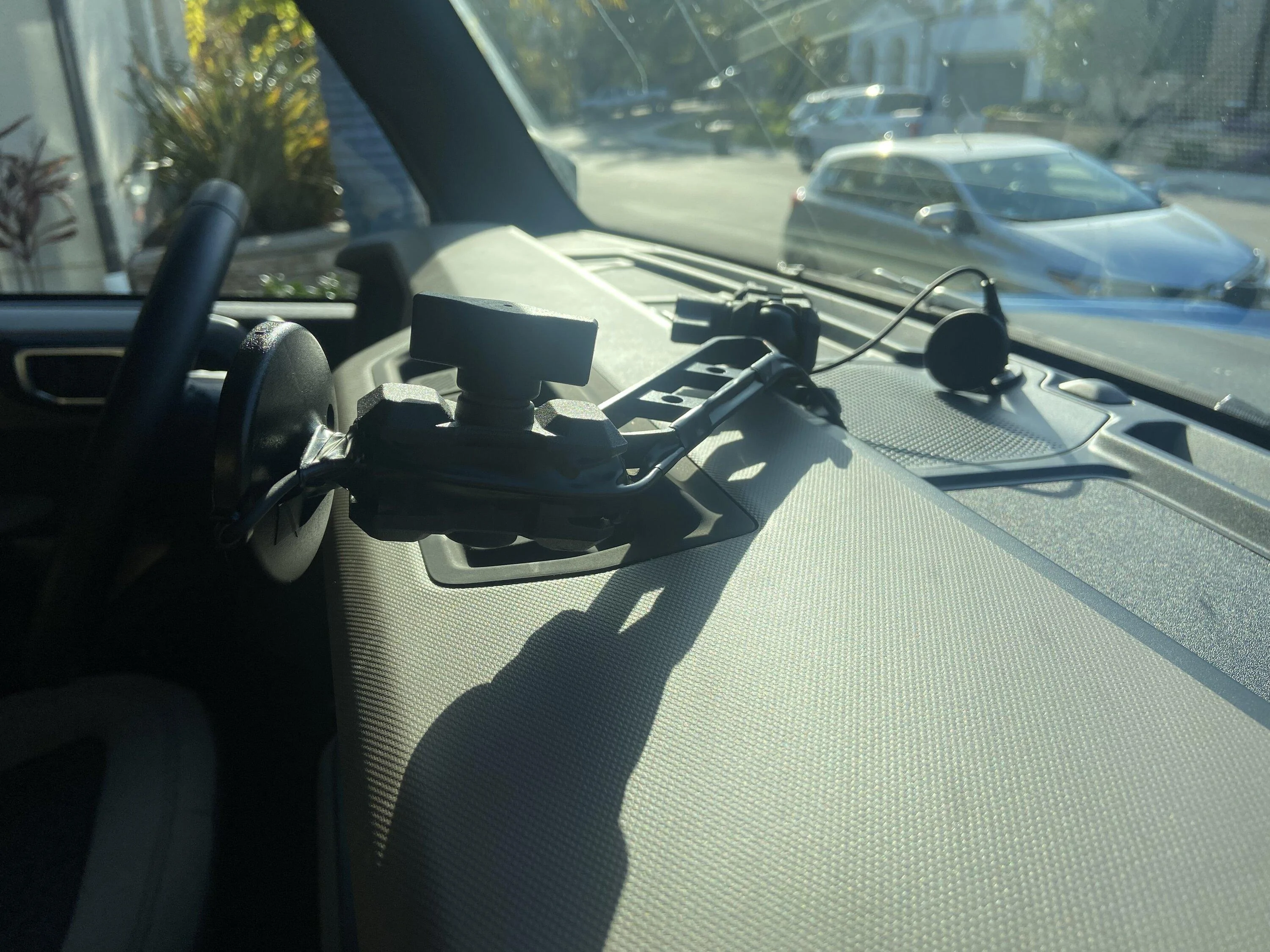
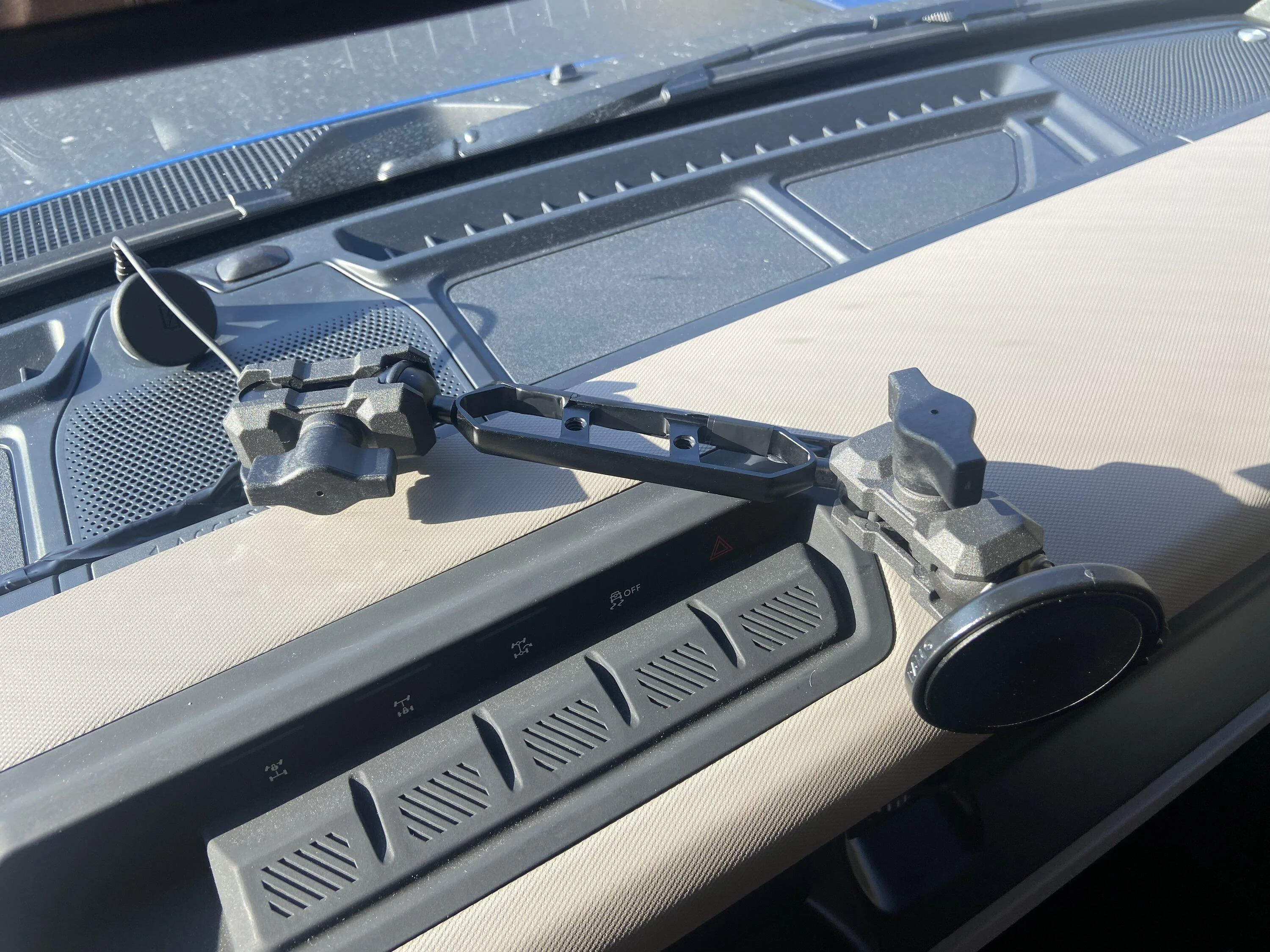
I then put all of the pieces together and used black electrical tape to hide the wires. This actually frees up the spot where the OEM charger is so that I can put my wallet and keys there. Now i can quickly pop my phone on and off and not have to use those clamps that most mounts have. It’s super convenient and holds my phone like a champ.

CB55DBD0-1F3D-44F4-B578-D23282DE0F2A.jpeg
11F63D92-176A-4687-8A25-252A1A76CDC2.jpeg
D6DFE0DA-DF18-4AC6-A120-E6D8D87435F0.jpeg
6D2B0753-2EEC-4258-B0B5-7B6099CDAC68.jpeg


I am not sure yet if I like having the phone stare at me while driving, but so far it’s OK. Who knows, I may just stick the MagSafe charger on the dash and out of sight completely :)
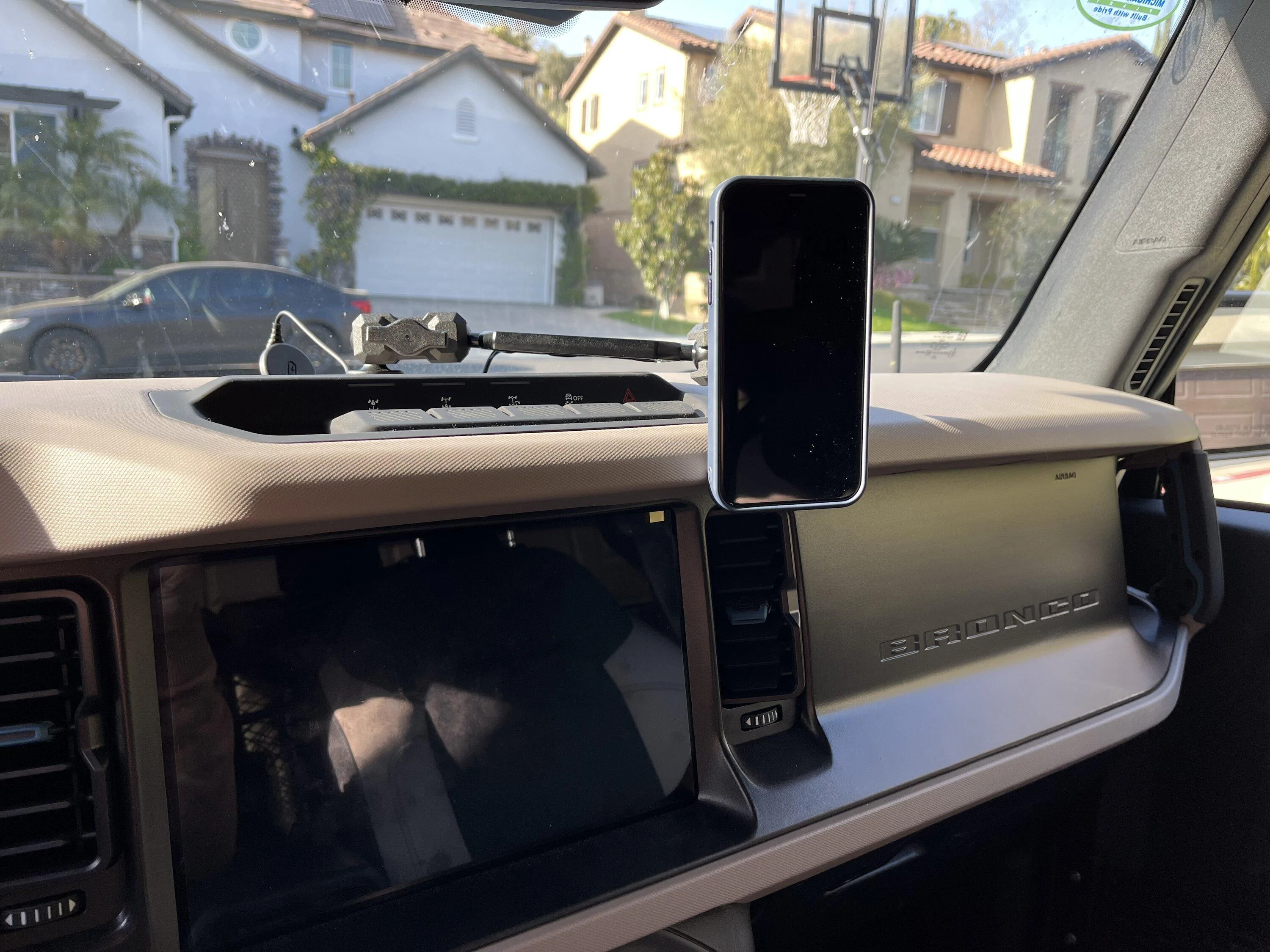
Thanks again for this guide; I ordered all the parts and the setup works great! One question: Do you have an issue with the base loosening and rotating/swinging over time? If so, did you do anything to secure the base? I posted in another thread and folks have recommended using Loc Tite or a lock nut or lock washer.
Sponsored

 
OP
OP

rblock50

Wildtrak
Well-Known Member
First Name
Ryan
Joined
Jan 27, 2022
Threads
8
Messages
335
Reaction score
290
Location
Orange County, California
Vehicle(s)
VW, Bronco
Your Bronco Model
Wildtrak
Thanks again for this guide; I ordered all the parts and the setup works great! One question: Do you have an issue with the base loosening and rotating/swinging over time? If so, did you do anything to secure the base? I posted in another thread and folks have recommended using Loc Tite or a lock nut or lock washer.
I didn't have any issues until my daughter borrowed the car and moved the arm closer to her :( I see there is some slack now in the torque on the bolt. Before this, I didn't have any issues. I think because of how I had the arm slightly resting on the trim of the Hero Switches. So I'll go back and tighten-er up, but I like your idea of some Loctite, I'll do that too.
 

rcl4668

Well-Known Member
Joined
Jul 16, 2020
Threads
49
Messages
301
Reaction score
249
Location
Pacific NW
Vehicle(s)
2019 Mustang Bullitt, 2023 Bronco Heritage Edition
Your Bronco Model
Undecided
I didn't have any issues until my daughter borrowed the car and moved the arm closer to her :( I see there is some slack now in the torque on the bolt. Before this, I didn't have any issues. I think because of how I had the arm slightly resting on the trim of the Hero Switches. So I'll go back and tighten-er up, but I like your idea of some Loctite, I'll do that too.
I put on a rubber washer under the dash ball mount, removed the GoPro mount (extra weight) and just have the arm and Magsafe mount (as you do in your picture). Seems to be holding tight now.
 
First Name
Cameron
Joined
Feb 4, 2024
Threads
0
Messages
18
Reaction score
4
Location
Oklahoma
Vehicle(s)
Bronco
Your Bronco Model
Badlands
There are several, make that a ton, of posts about the built in wireless charger being a complete POS - it heats up the phone making it turn off and doesn’t even add any juice during the charge. I’ve seen others post their mods, but I didn’t see any that I liked (no offense). Here’s what I did.

1. Purchased a MagSafe Charger - $15

While it’s not an Apple, I wanted it to be black and I didn’t see one from them in black.

https://www.amazon.com/Magnetic-Wireless-Charger-Compatible-Charging/dp/B0BBTFWCMB

2. Purchased RAM Mount MagSafe Holder - $13

This is a cradle to holds the MagSafe charger and it attaches to the arm coming from the dash (#3 Below)

https://www.amazon.com/RAM-Mounts-Adapter-MagSafe-RAP-B-202-AP-MAGU/dp/B09J9ZCDDD

3. Purchased Phone Mount - $33

This connects directly to the attachment point on the dash and offers a ton of different angle options to fine tune the placement of your phone. It even has some female threads on it to attach maybe a Go-Pro.

https://www.amazon.com/All-Metal-Adjustment-Smartphones-Non-Destructive-Installation/dp/B0B3MHJ1NX

I then put all of the pieces together and used black electrical tape to hide the wires. This actually frees up the spot where the OEM charger is so that I can put my wallet and keys there. Now i can quickly pop my phone on and off and not have to use those clamps that most mounts have. It’s super convenient and holds my phone like a champ.

CB55DBD0-1F3D-44F4-B578-D23282DE0F2A.jpeg
11F63D92-176A-4687-8A25-252A1A76CDC2.jpeg
D6DFE0DA-DF18-4AC6-A120-E6D8D87435F0.jpeg
6D2B0753-2EEC-4258-B0B5-7B6099CDAC68.jpeg


I am not sure yet if I like having the phone stare at me while driving, but so far it’s OK. Who knows, I may just stick the MagSafe charger on the dash and out of sight completely :)
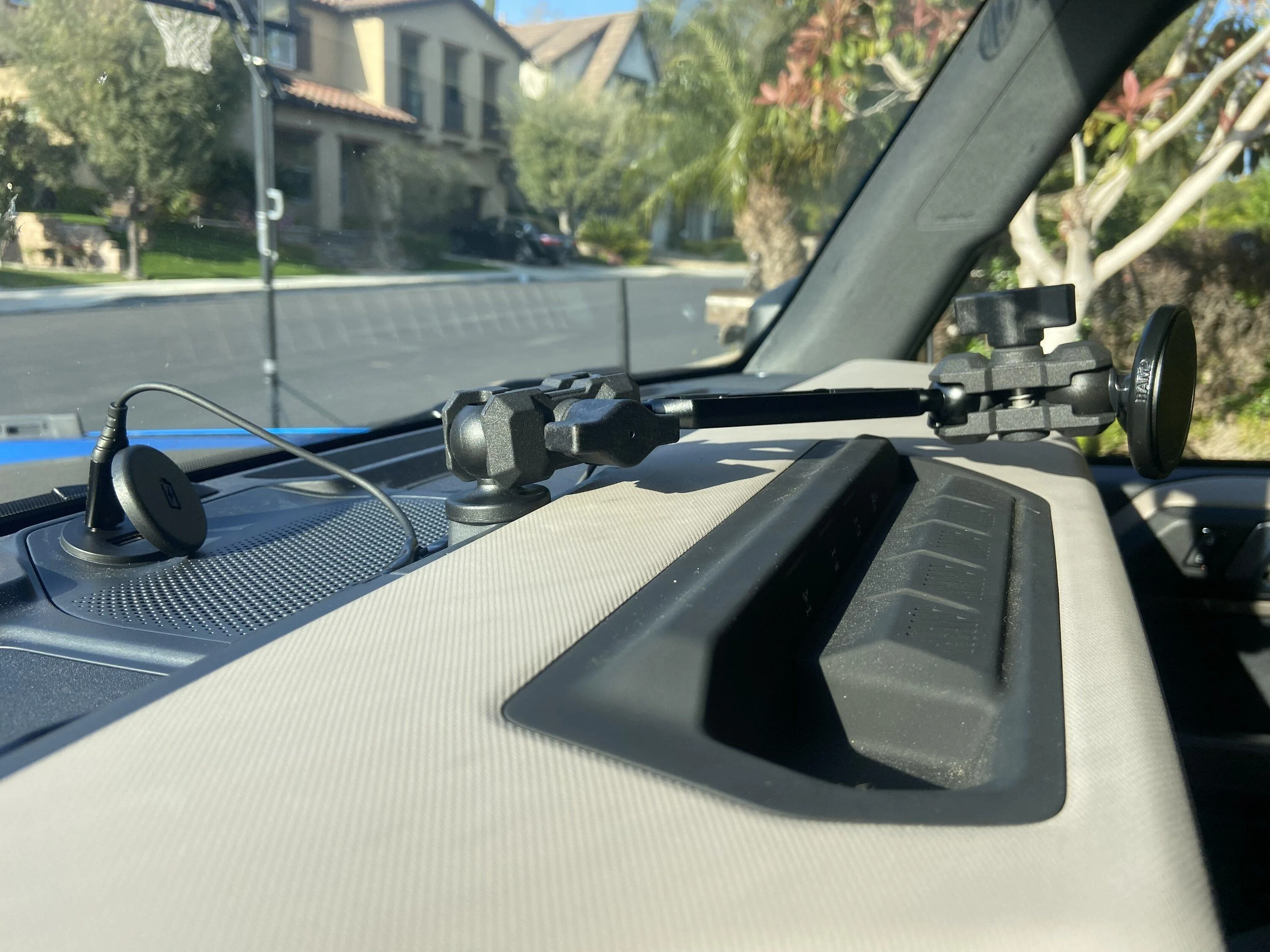
But u have the magnetic holder for phone at the end.. the link posted doesn’t show to have the MagSafe in the kit .. was that a separate purchase
 
OP
OP

rblock50

Wildtrak
Well-Known Member
First Name
Ryan
Joined
Jan 27, 2022
Threads
8
Messages
335
Reaction score
290
Location
Orange County, California
Vehicle(s)
VW, Bronco
Your Bronco Model
Wildtrak
But u have the magnetic holder for phone at the end.. the link posted doesn’t show to have the MagSafe in the kit .. was that a separate purchase
The 1st item in the list is the actual charger, and then that slips inside the 2nd item in the list. Then that 2nd part attaches to the 3rd part. I just didn't use the phone holder that came with item #3, and #2 has the ball that goes into the slot and just tighten it all up. Does that make sense? Did it answer your question?
Sponsored


Top